代營運 AI 主機|TE-RoboticsAI operations host · TE-Robotics

事情多、人手少、沒人幫你盯?Too much to do, too few hands?MAX AI 代營運主機Operations Host

一台放在公司的小主機,裡面是一整組 AI 主管。
插電、掃碼、選行業,就幫你盯人、盯單、盯錢。
A small box for your office with a full team of AI managers inside.
Plug in, scan, pick your industry — it keeps an eye on people, orders and money.

一個模組,替代一個部門One module replaces a department首次 NT$16,800 起From NT$16,800
首次付款全額換成模組額度;月費=包底 NT$16,800+啟用模組Your first payment becomes module credit; monthly fee = NT$16,800 base + active modules
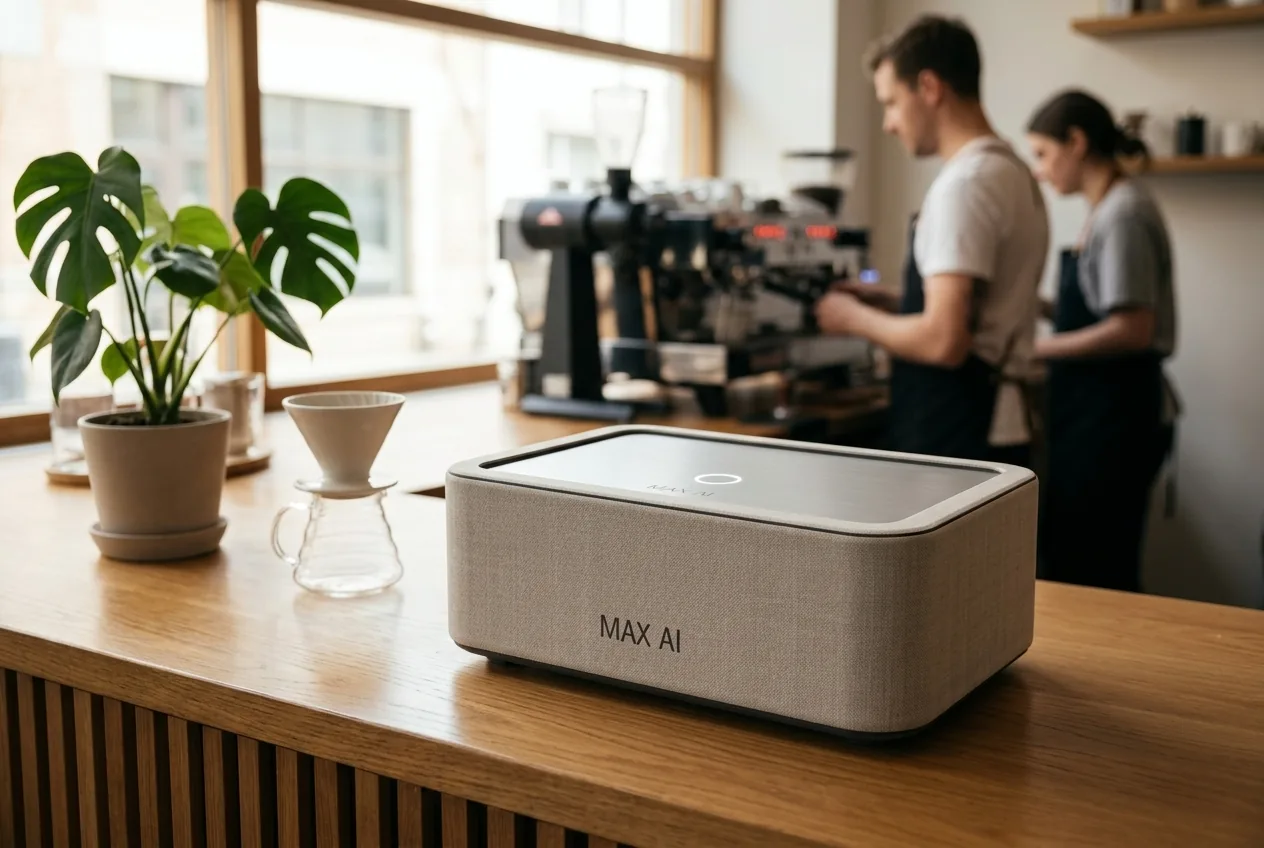
MAX AI 代營運主機

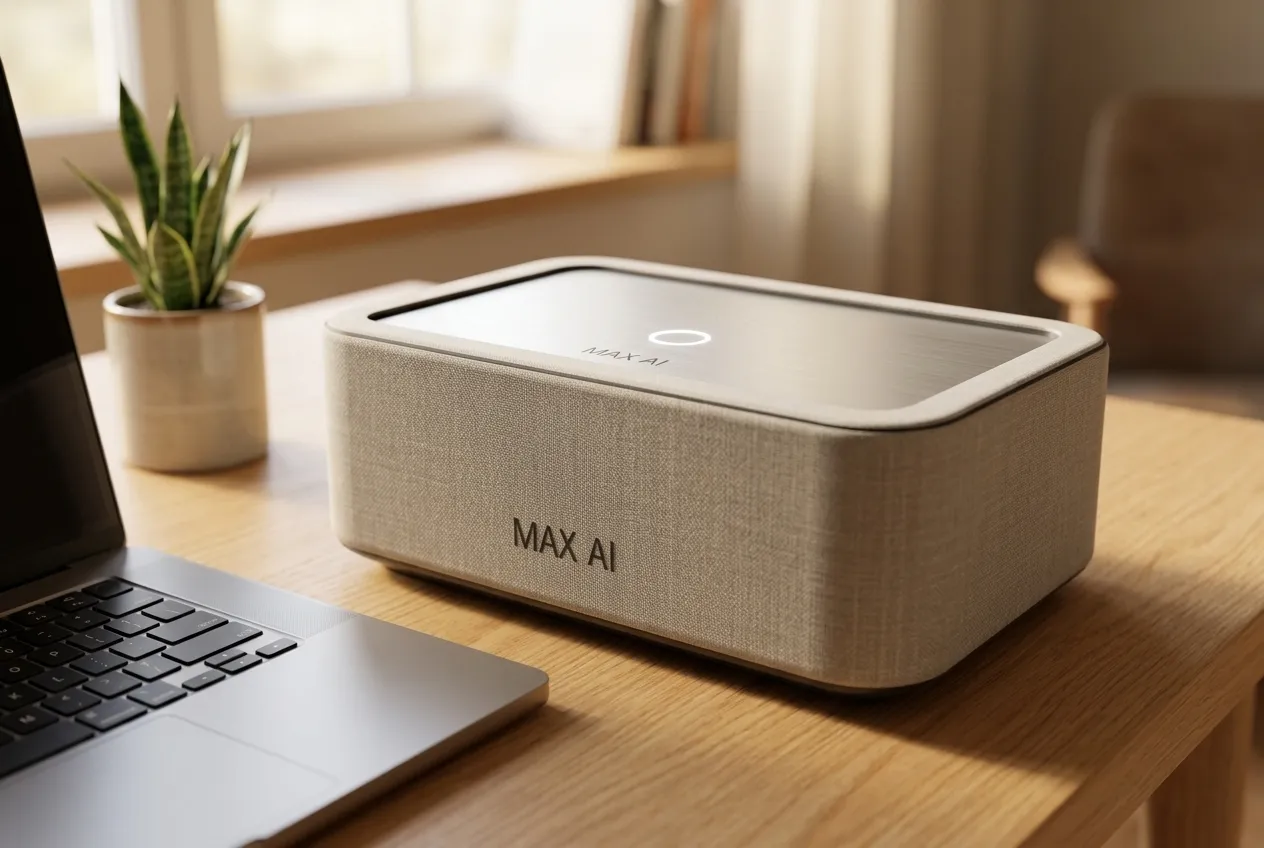
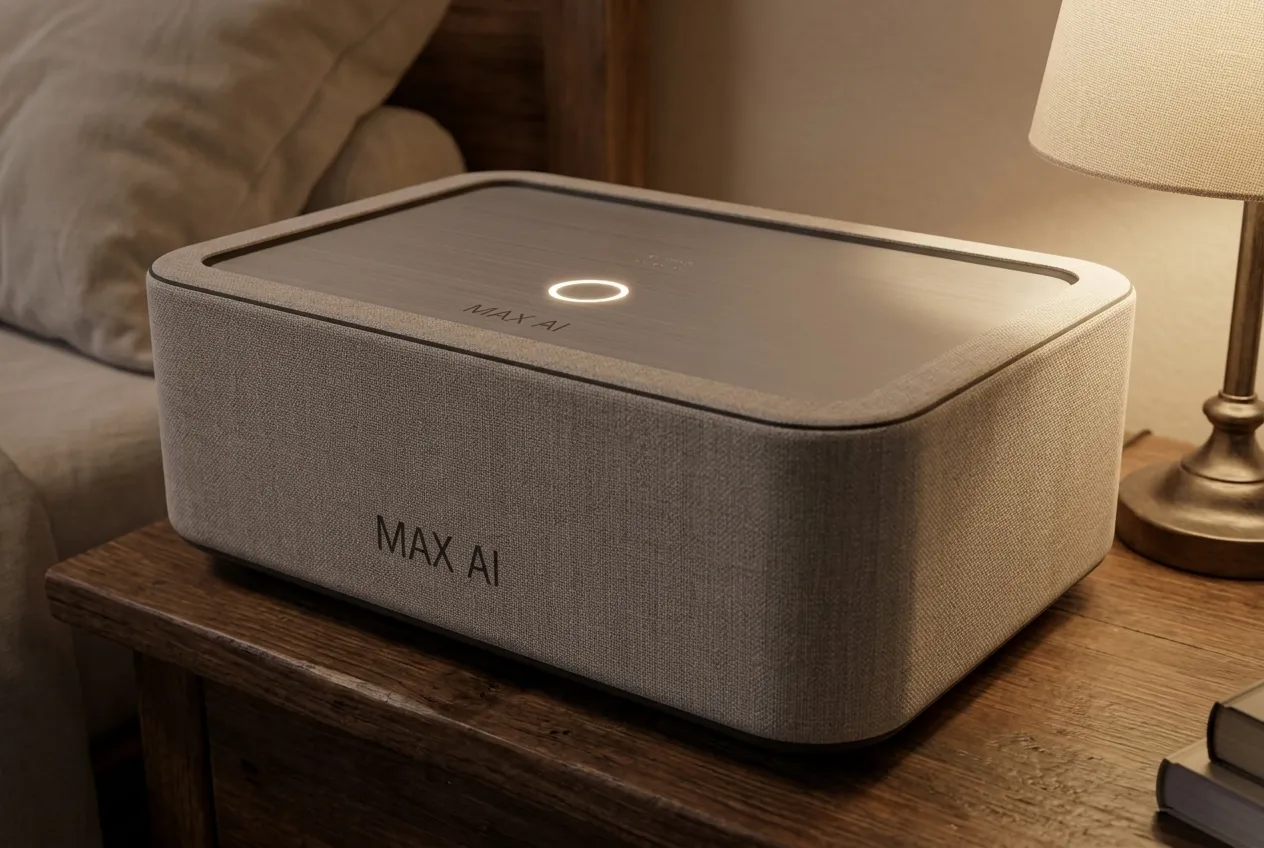
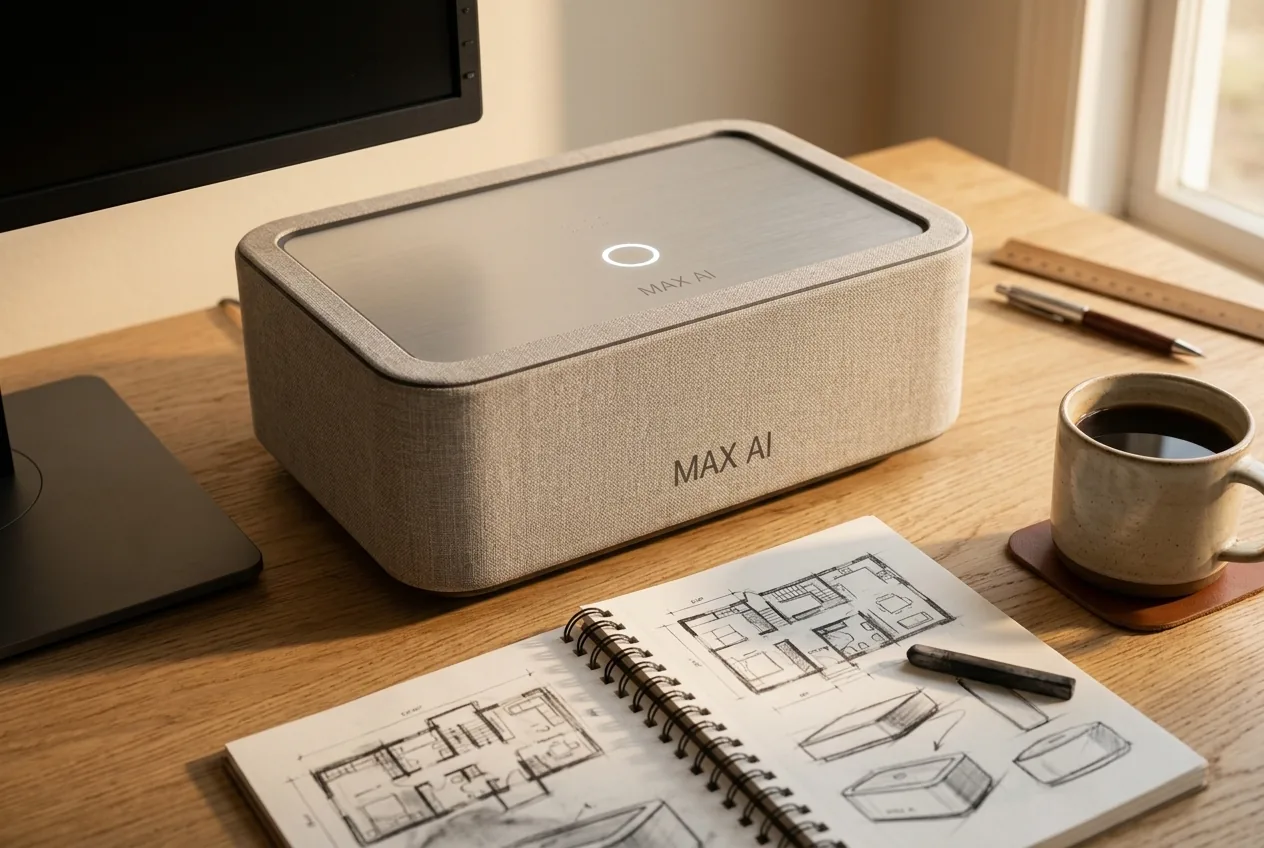
產品外觀為設計示意(AI 生成),實際以出貨為準Product appearance is a design illustration (AI-generated); final product may differ

MAX AI Enterprise

企業級Enterprise

包底月費 Base NT$30,000 起/month and up

另加啟用模組;地端伺服器與客製開發依案報價Plus active modules; on-prem server and custom work quoted per project

給 30 人以上、多據點、資料要留在公司裡的企業。地端 AI 伺服器放在你的機房,整套營運系統依你的流程客製。For companies with 30+ people, multiple sites, or data that must stay in-house. An on-prem AI server in your server room, with the whole operations system built around your processes.

預約洽談Book a consultation
  • 地端大模型On-prem large model大型 AI 模型跑在公司自己的伺服器,敏感資料不出公司;需要時再搭配線上模型。Large AI models run on your own server so sensitive data stays inside; online models only when needed.
  • ERP/MES/CRM 客製Custom ERP / MES / CRM接上或代建你的進銷存、生產與客戶系統,AI 主管直接在裡面做事。We connect to or build your inventory, production and customer systems, and the AI managers work inside them.
  • 多據點Multiple sites總部、分店、工廠各自有權限,摘要與核准集中到你手上。Head office, branches and plants each have their own permissions; digests and approvals come to you.
Real-life scenes

老闆每天的麻煩,AI 這樣接手The daily hassles of running a shop, and how the AI takes them on

會一直進化的 AIAn AI that keeps getting better

產線實機:多鏡頭即時判讀,不良品自動噴氣剔除;每一次檢測,都在讓它判得更準。Real production line: multi-camera inspection in real time, defects blown off automatically. Every inspection makes it sharper.

實機畫面・產品標示已遮蔽Real footage, product labels masked

誰在忙、誰在等,AI 看得到See who is busy and who is idle

Max 接上店裡的攝影機,認出每位員工,出杯、收銀自動記下來,每天給你一份報表。Max connects to your shop cameras, recognises each staff member, logs drinks and checkout, and sends you a daily report.

情境示意畫面Scenario illustration

站上沒人,AI 先通知No one at the station? AI tells you first

攝影機看各站在崗,哪一站久沒人,自動通知組長。Cameras watch each workstation; if one is empty too long, the team lead is notified.

AI 生成情境畫面AI-generated scenario

尖峰排隊,AI 先提醒Peak-hour queue? AI warns you first

自動數排隊人數,人一多就建議你加開收銀。Counts the queue automatically and suggests opening another register when it grows.

AI 生成情境畫面AI-generated scenario

貨快沒了才發現?Stock running out before you notice?

Max 盯著庫存,該補貨時先擬好訂單,你按核准就好。Max watches your stock and drafts the order when it is time. You just approve.

情境示意畫面Scenario illustration

排班加班,怕踩到勞基法?Worried scheduling overtime breaks labor law?

Max 依勞基法規定先幫你檢查,有風險提早提醒你。Max checks against labor law first and warns you early about risks.

情境示意畫面Scenario illustration

開店找不到人?Can’t find staff for your shop?

Max 幫你寫職缺、篩履歷、約面試;個人資料先在本地去識別化。Max writes the job post, screens résumés and books interviews. Personal data is de-identified locally first.

情境示意畫面Scenario illustration

LINE 訊息多,漏了訂單?Too many LINE messages, missing customer orders?

Max 把每則訊息整理成待辦,客人的單不再被洗掉。Max turns every message into a to-do, so orders don’t get buried.

情境示意畫面Scenario illustration
One street, two shops

同一條街,兩家店的一天One street, two shops, one day情境示意Illustrative scenario

A 店靠人手硬撐,B 店用的是 MAX AI。Shop A runs on sheer effort. Shop B runs on MAX AI.

早上 8:008:00 a.m.
A 店Shop A老闆打開手機,先回昨晚 23 則 LINE,再一間一間打給供應商問貨到了沒。The owner wakes up to 23 unanswered LINE messages, then calls supplier after supplier to chase deliveries.
B 店Shop B老闆只看到一封「今日摘要」:昨晚 23 則訊息 AI 已經回完,3 件要他決定,貨明天到。他按了 3 次「核准」。The owner sees one morning digest: all 23 messages answered overnight, 3 items need a decision, the delivery arrives tomorrow. Three taps on “Approve”.
中午 12:0012:00 noon
A 店Shop A客人問「今天還有位子嗎?」,3 小時後才有人看到。客人已經訂了 B 店。A customer asks “Any tables today?” — nobody sees it for 3 hours. The customer has already booked Shop B.
B 店Shop BAI 10 秒內回覆、排好位子,順便提醒客人上次點過的餐點。The AI replies within 10 seconds, books the table and mentions what the customer ordered last time.
下午 3:003:00 p.m.
A 店Shop A員工請假,老闆自己翻勞基法,算不清楚特休要怎麼給。A staff member calls in sick. The owner digs through labour law and still can’t work out the leave.
B 店Shop BAI 已經把班補好,特休照條文算好,等老闆核准。The AI has already covered the shift and calculated the leave by the book, waiting for approval.
晚上 9:009:00 p.m.
A 店Shop A老闆還在對帳、寫明天的貼文。The owner is still reconciling accounts and writing tomorrow’s post.
B 店Shop B老闆收到「今日完成報告」:誰做完、誰卡住、明天要決定什麼。他已經在陪家人吃飯。The owner gets the end-of-day report: who finished, who is stuck, what to decide tomorrow. He is already at dinner with his family.
一個月後One month later
A 店Shop A老闆問:「隔壁怎麼人那麼少,事情做得比我多?」The owner wonders: “How does next door get more done with fewer people?”
B 店Shop B用的是 MAX AI。It runs on MAX AI.

每個行業,都會有第一家用 AI 經營的公司。為什麼不是你?Every industry will have its first AI-run company. Why not yours?

*本段為情境示意,非特定客戶案例;各產業實際效益依使用情況而不同。* Illustrative scenario, not a specific customer case; actual results vary by business and usage.
Personal AI vs MAX AI

個人 AI 助理 vs MAX AIPersonal AI assistant vs MAX AI

個人 AI 助理幫「你一個人」;MAX AI 是放在公司裡、顧整間公司的一組 AI 主管。A personal AI assistant helps you alone. MAX AI is a team of AI managers in your office, looking after the whole company.

個人 AI 助理Personal AI assistant
MAX AI
服務對象Who it serves
一個人One person
整間公司,每位員工各看各的權限The whole company, each person with their own permissions
放在哪Where it lives
個人帳號裡In a personal account
公司裡的一台主機On a host in your office
管的範圍Scope
問答、寫草稿Answers and drafts
人資、採購、行銷、營運一整組 AI 主管A full team of HR, purchasing, marketing and operations managers
誰先動Who acts first
你問才答Answers when asked
每天主動摘要、分派、追蹤、催辦Sends digests, routes, tracks and follows up every day
公司的規則Company rules
每次要重新交代Explained again every time
開通時設好,之後照規則執行Set once at activation, then followed
人員異動Staff changes
經驗留在個人帳號Know-how stays in one person’s account
規則和往來紀錄留在公司Rules and records stay with the company
花錢、用人、對外Money, people, outbound
各自判斷Each person decides
一律由你核准,AI 只擬好給你Always your approval; AI only drafts

MAX AI 協助整理與提出建議,不取代你的判斷。MAX AI organises and suggests; it does not replace your judgement.

讓同行追你,而不是你追同行。Let your competitors chase you, not the other way round.

Plans

方案Plans

首次付款全額換成 NT$ 額度選購模組;一個模組替代一個部門。Your first payment becomes NT$ credit for modules. One module replaces a department.

STARTER入門Starter
小店、10 人以下Small shops, under 10
可用額度Credit
NT$25,000
約可選Covers
4 個一般模組4 standard modules
NT$16,800
首次付款First payment
STANDARD標準Standard
中小企業SMEs
可用額度Credit
NT$45,000
約可選Covers
7 個一般模組7 standard modules
NT$29,800
首次付款First payment
ADVANCED進階Advanced
多部門公司Multi-department
可用額度Credit
NT$95,000
約可選Covers
一般模組全選+部分加值All standard + some add-ons
NT$59,800
首次付款First payment
FULL SUITE全套Full Suite
替代一整個團隊Replaces a whole team
可用額度Credit
NT$165,000
約可選Covers
全部一般模組+機聯網/小型視覺All standard + machine link / small vision
NT$99,000
首次付款First payment
MAX EYEMAX EYEMAX EYE
AI 視覺入門Entry AI vision
可用額度Credit
NT$220,000
約可選Covers
主機套組+2 項視覺+4 個一般模組Host kit + 2 vision apps + 4 modules
NT$168,000
首次付款First payment
MAX EYE PROMAX EYE ProMAX EYE Pro
產線視覺Production-line vision
可用額度Credit
NT$560,000
約可選Covers
GPU 主機套組+3 項視覺+一般模組全選GPU kit + 3 vision apps + all modules
NT$398,000
首次付款First payment
HIGH-PRECISION高精度視覺High-precision vision
模型訓練專案Custom model training
可用額度Credit
依案報價Per project
約可選Covers
架設伺服器、模型訓練Server build-out, model training
NT$1,500,000 起
首次付款First payment

每月月費=包底+每個啟用模組Monthly fee = base + each active module

包底:一般版(含伺服器、20 人信箱、管理後台)Base: Standard (server, 20 mailboxes, admin)NT$16,800
包底:企業版(地端模型、客製流程)Base: Enterprise (on-prem models, custom workflows)NT$30,000
每個輕模組(定價 5,000 以下,如記帳、薪資、摘要)Each light module (≤5,000, e.g. bookkeeping, payroll, briefing)NT$+1,500
每個中模組(定價 6,000–7,000,如 ERP、詢價、找客戶、海外接單)Each medium module (6,000–7,000, e.g. ERP, RFQ, leads, overseas)NT$+3,000
每個重模組(定價 8,000 以上,如 AI 收信分流、機台數據)Each heavy module (≥8,000, e.g. AI email triage, machine data)NT$+5,000
每項視覺應用Each vision appNT$+8,000
機台接線、感測器Machine wiring, sensors買斷,不收月費One-time, no monthly fee

範例:10 人加工廠選入門方案,啟用收信、ERP、記帳、詢價比價 → 月費 16,800+12,500=NT$29,300。Example: a 10-person machine shop on Starter with email triage, ERP, bookkeeping and RFQ → 16,800 + 12,500 = NT$29,300/month.

額度只能折抵本公司模組與硬體,不退現、不轉讓。雲端大模型(API)費用另計,可用客戶自己的帳號;客製開發另行報價。價格未稅,正式金額以報價單為準。Credit applies only to our modules and hardware; non-refundable, non-transferable. Cloud LLM (API) usage billed separately and can use your own account; custom work quoted separately. Prices exclude tax; the quotation prevails.

MAX AI 放在店面櫃台
放在店面櫃台On the shop counter
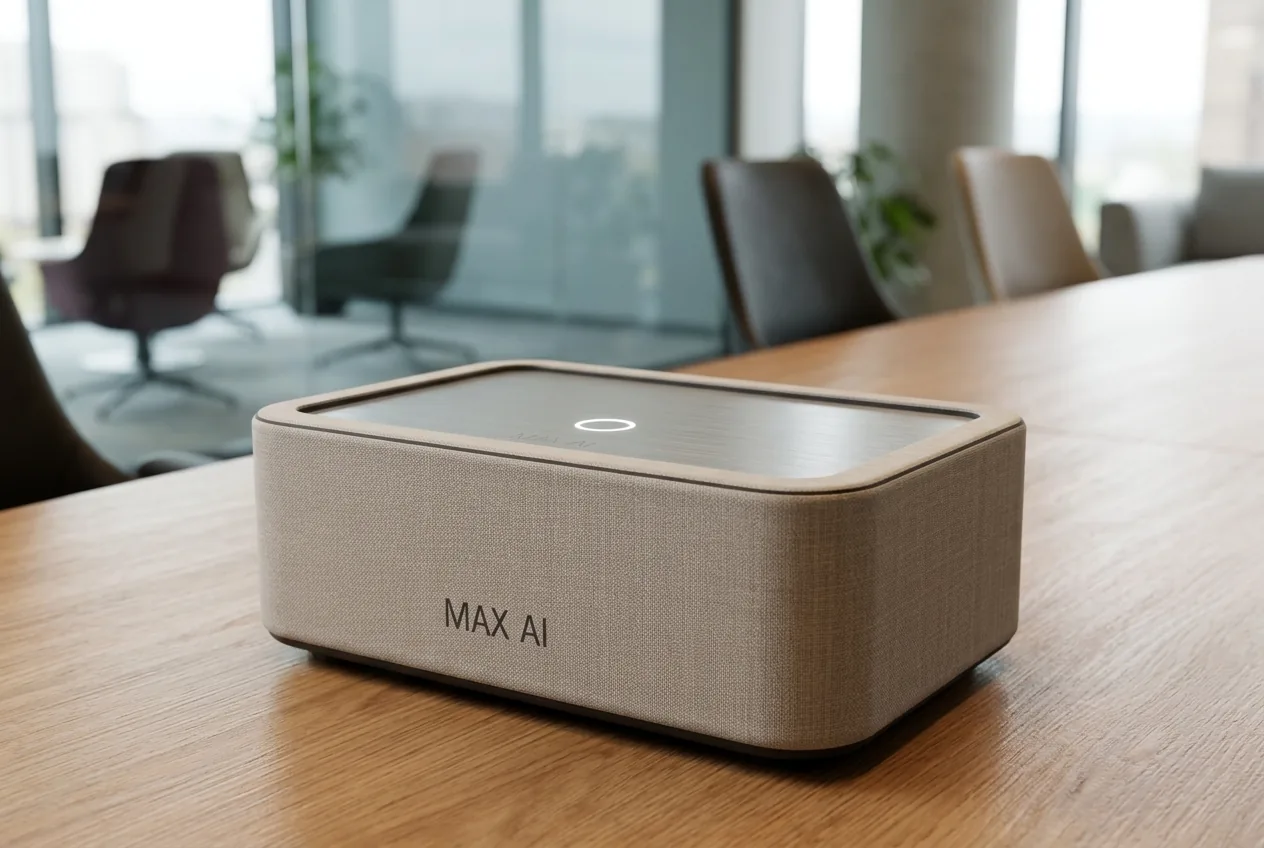
MAX AI 放在會議室
放在會議室In the meeting room
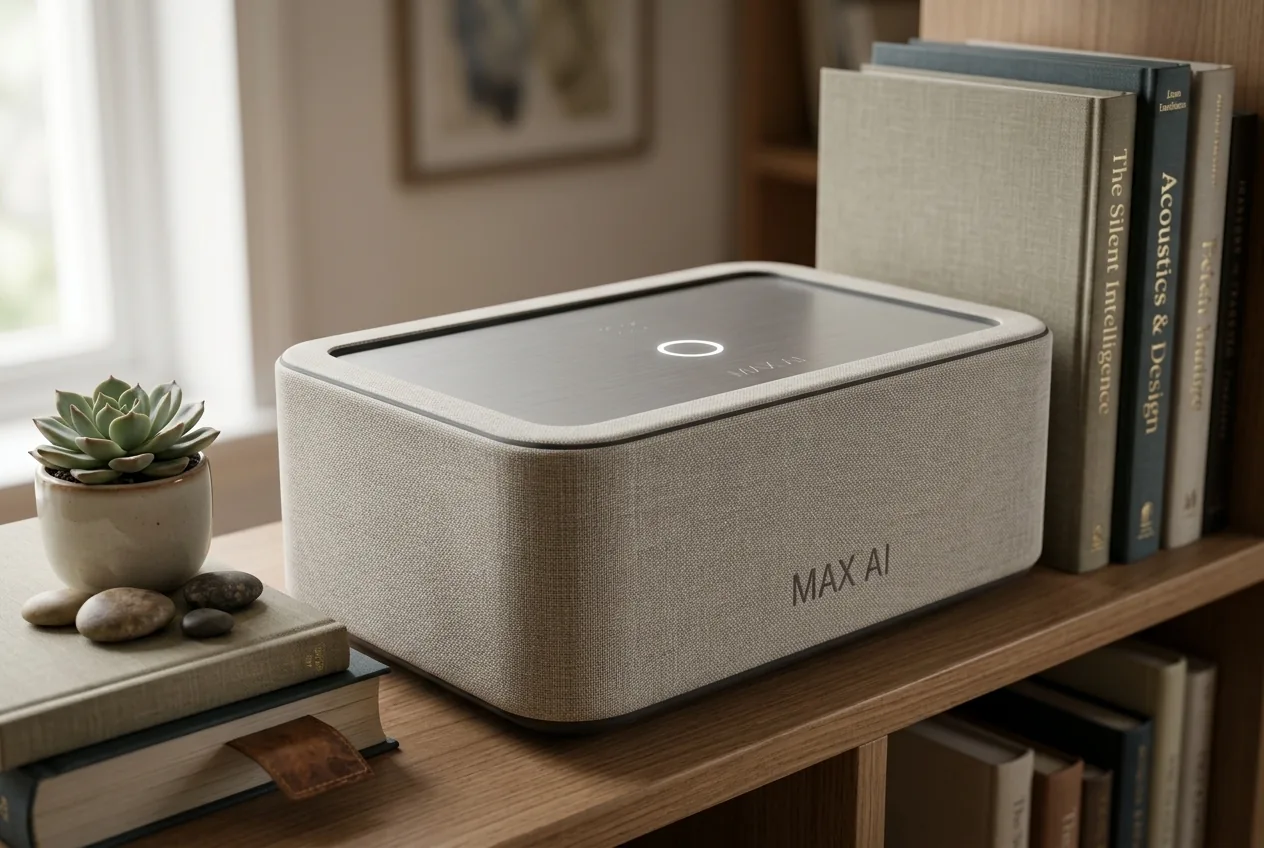
MAX AI 放在書房層架
放在書房層架On a bookshelf
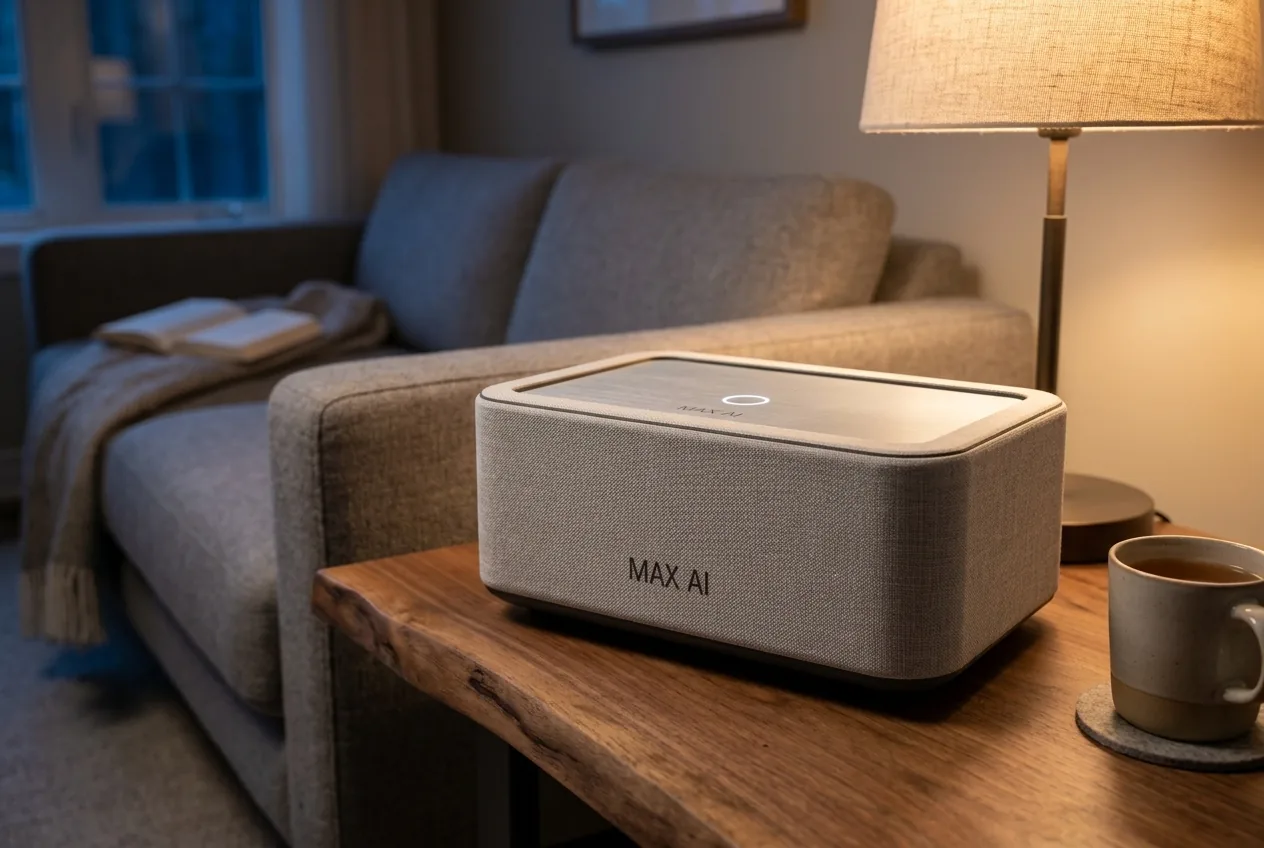
MAX AI 放在客廳邊几
放在客廳邊几On a side table

以上為設計示意(AI 生成),實際外觀以出貨為準。Design illustrations (AI-generated); final appearance may differ.

What is it

這台是什麼?What is MAX AI?

MAX AI 是一台放在你公司裡的小主機,裡面裝好了一整組 AI 主管。它接上公司的信箱、LINE 和帳務,像一位全天候的營運助理,幫你盯人、盯單、盯錢。不用請工程師,也不用自己學寫程式。MAX AI is a small host that sits in your office with a full team of AI managers pre-installed. Connected to your mail, LINE and books, it works like an always-on operations assistant. No engineers, no coding.

插電、連網Plug in & connect放在辦公室或櫃台,插上電源和網路線。Put it in the office, plug in power and network.

掃碼登入、選行業Scan, log in, pick your industry用手機登入,選你的行業,自動配好 AI 主管。Log in on your phone, choose your industry, and your AI managers are set up.

接上信箱和 LINE,加入同事Connect mail & LINE, add staff照畫面點幾下,同事也會收到邀請。A few taps; your team gets invited.

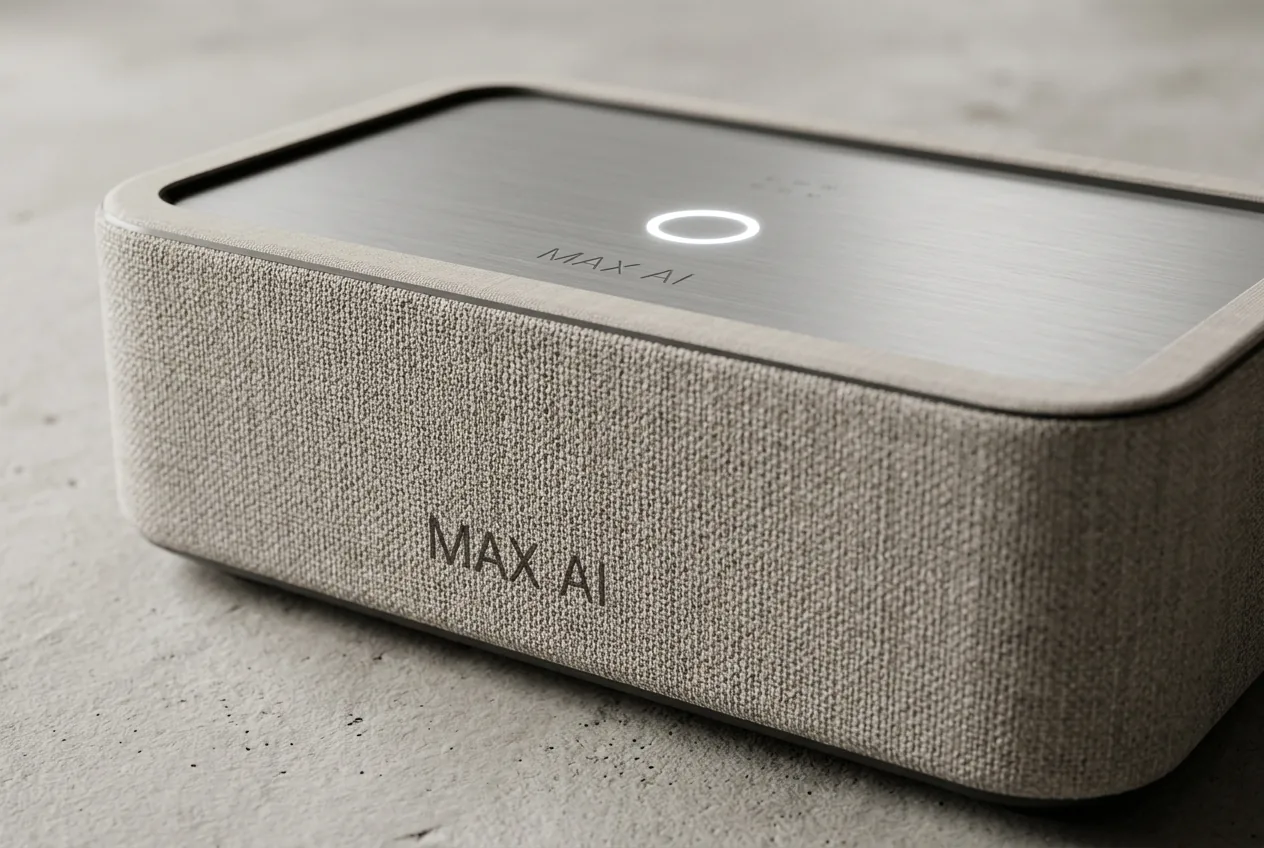
MAX AI 織布側與鋁頂板

織布側+鋁頂板,頂面一個觸控點|設計示意Fabric sides, aluminium top, one touch point · design illustration

Inside the box

裡面有一整組 AI 主管A full team of AI managers inside

你的工作只剩:每天看一封摘要,按幾個「核准」。Your job: read one digest a day and tap “Approve”.

郵件與 LINE 助理Mail & LINE assistant

讀完信件和訊息,分給對的人,擬好回覆給你確認,每天早上一封摘要。Reads mail and messages, routes them, drafts replies for you to confirm, and sends a morning digest.

人資主管HR manager

協助徵才、整理履歷、排班;加班費、特休依勞基法試算並標條文。Helps hire and schedule; overtime and leave estimated under the Labor Standards Act, with articles cited.

採購主管Purchasing manager

快用完就提醒,找供應商、寫信詢價、整理比價表,你按核准才下單。Low-stock alerts, supplier search, quote requests and comparisons — orders only after you approve.

行銷主管Marketing manager

寫貼文和廣告文案、剪短影音;廣告用你自己的帳號,花錢前先給你核准。Posts, ad copy and short videos; ads run on your own account and only after approval.

營運總管Operations lead

分派交辦、追進度,下班前回報誰做完、誰卡住;每週一份成績單。Routes and tracks tasks, reports who is done or stuck, and sends a weekly report.

店家 ERPBuilt-in ERP

進銷存、訂單、客戶、收款都在同一台裡,不用另外買系統。Inventory, orders, customers and receivables in the same box.

*部分功能仍在開發中,會陸續開放;用人、花錢、對外發送等決定都由你核准後才執行。* Some features are still in development and will roll out over time. Hiring, spending and outbound messages always need your approval.

Unboxing to day one

從開箱到上手,一步一步看From unboxing to day one, step by step

左右滑動看每一步。以下皆為模擬畫面,示範資料為虛構店家。Swipe through each step. All screens are simulations with a fictional shop.

STEP 1–2

開箱、接電Unbox & plug in

不用螢幕、不用鍵盤。No monitor or keyboard needed.

開箱|盒裡有主機、電源變壓器、網路線、帳密卡和快速上手單。設計示意Design illustration
1開箱Unbox盒裡有主機、電源變壓器、網路線、帳密卡和快速上手單。Host, power adapter, network cable, login card and quick-start sheet.
接電|背面接上網路線和電源變壓器,等幾分鐘自己開機。設計示意Design illustration
2接電Plug in背面接上網路線和電源變壓器,等幾分鐘自己開機。Connect the network cable and power adapter at the back — it boots by itself.
STEP 3–5

登入Log in

電腦、手機都能登入。Log in from a computer or phone.

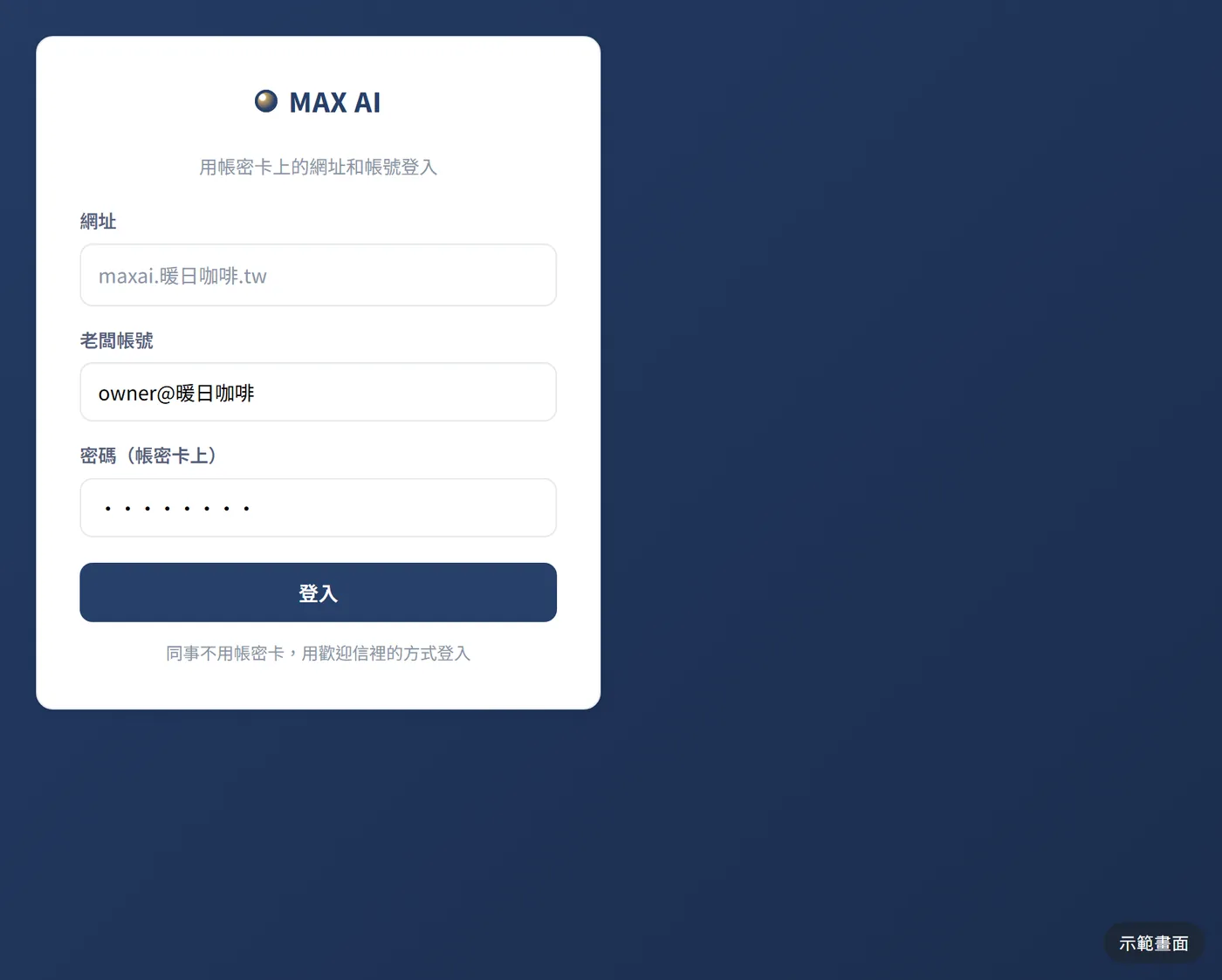
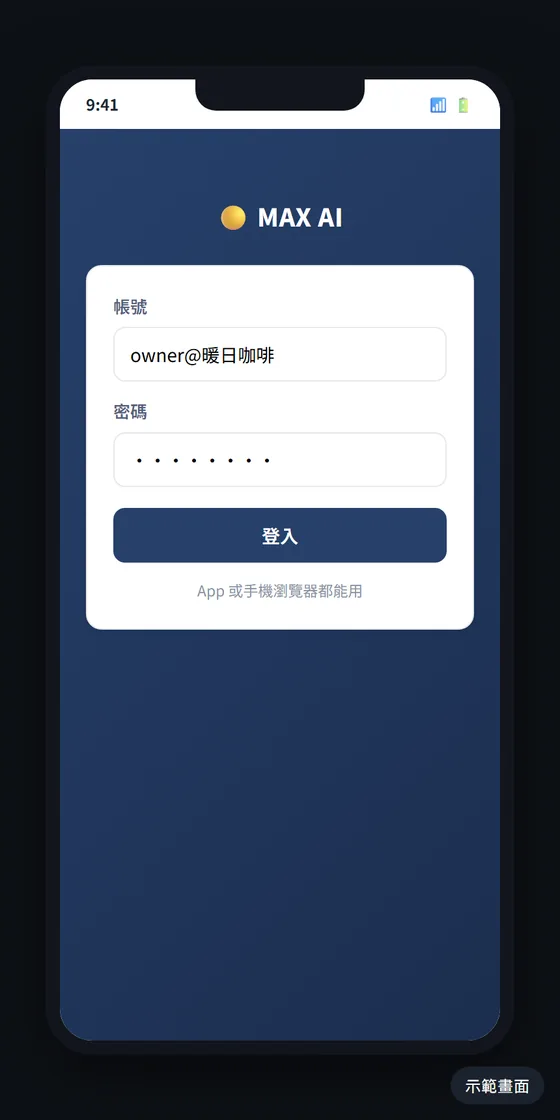
登入電腦|用帳密卡上的網址和帳號登入。畫面為模擬示意Simulated screen
3登入電腦Log in用帳密卡上的網址和帳號登入。Use the URL and account on the login card.
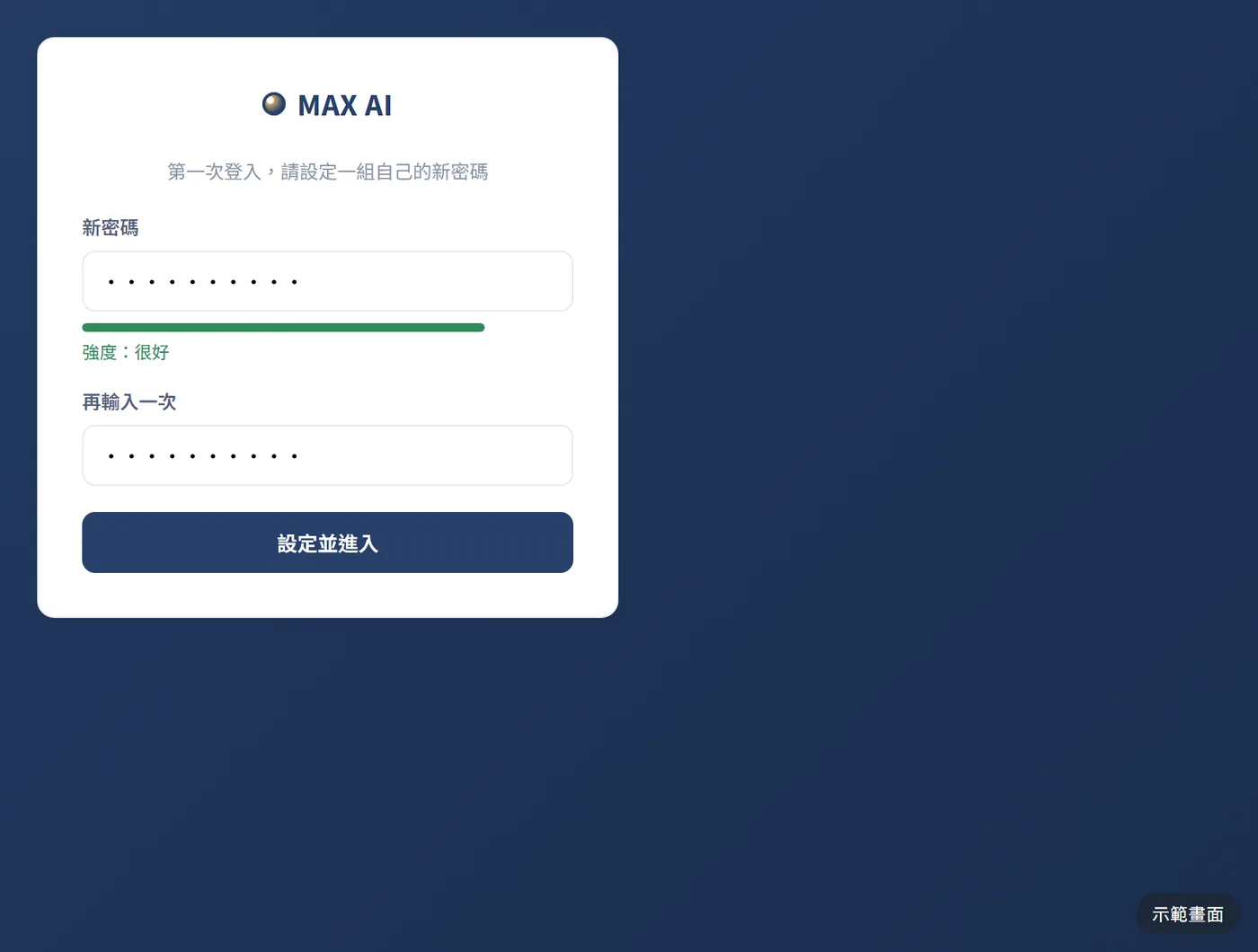
設定新密碼|第一次登入,換成你自己的密碼。畫面為模擬示意Simulated screen
4設定新密碼New password第一次登入,換成你自己的密碼。Set your own password on first login.
手機登入|App 或手機瀏覽器都能用。畫面為模擬示意Simulated screen
5手機登入Phone loginApp 或手機瀏覽器都能用。Works in the app or a mobile browser.
STEP 6–16

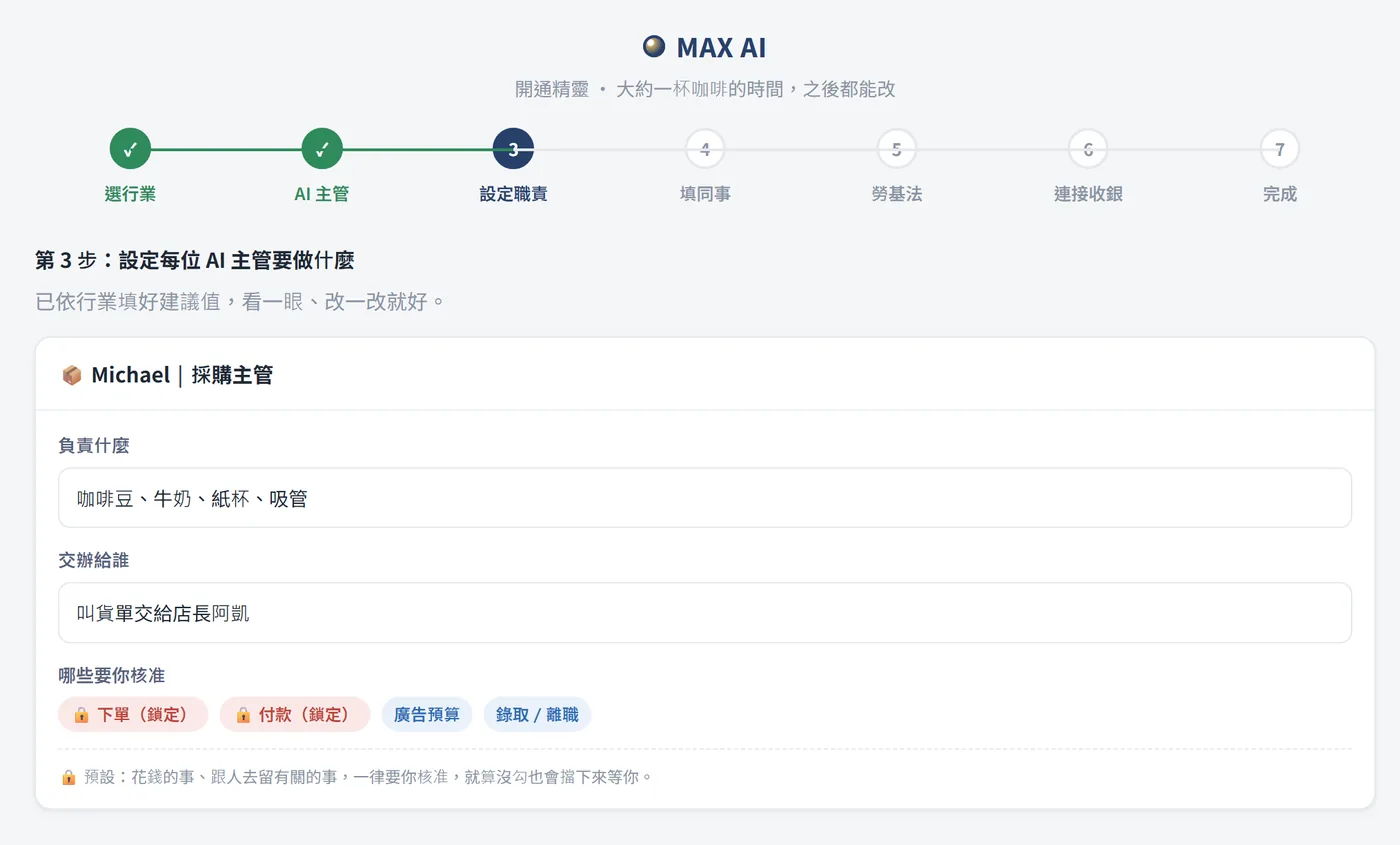
開通精靈Setup wizard

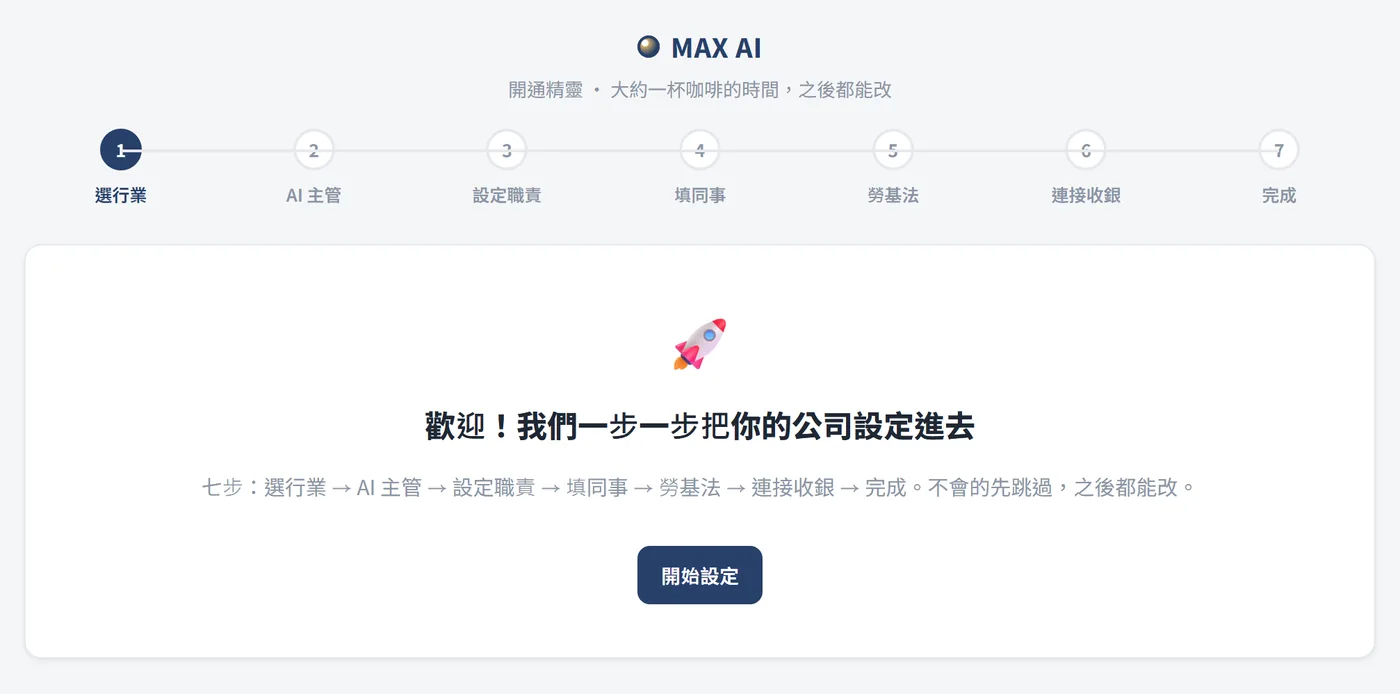
選行業 → AI 主管 → 職責 → 同事 → 勞基法 → 收銀 → 完成。Industry → AI managers → roles → team → labor law → POS → done.

開通精靈|七個步驟,大約一杯咖啡的時間,之後都能改。畫面為模擬示意Simulated screen
6開通精靈Setup wizard七個步驟,大約一杯咖啡的時間,之後都能改。Seven steps, about a cup of coffee; change anything later.
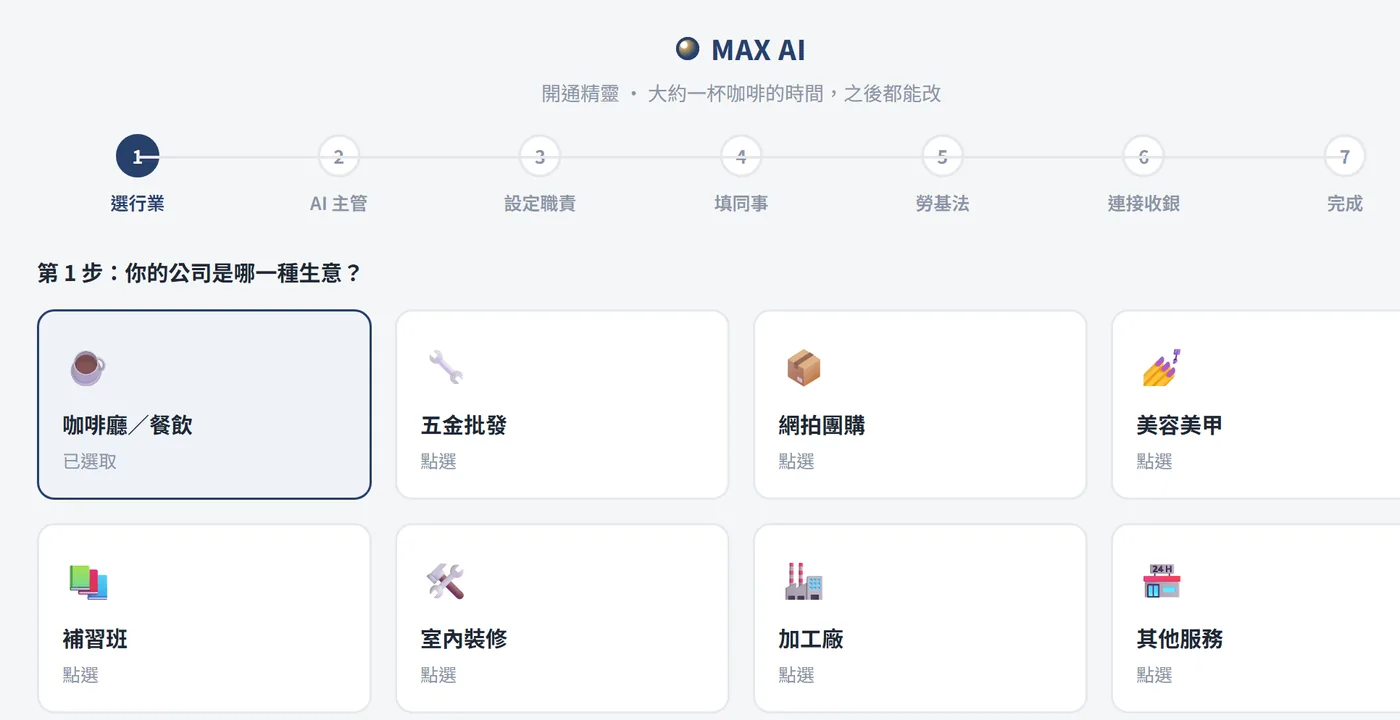
選行業|選你的生意類型,系統依行業帶入建議設定。畫面為模擬示意Simulated screen
7選行業Pick your industry選你的生意類型,系統依行業帶入建議設定。Choose your business type; suggested settings follow.
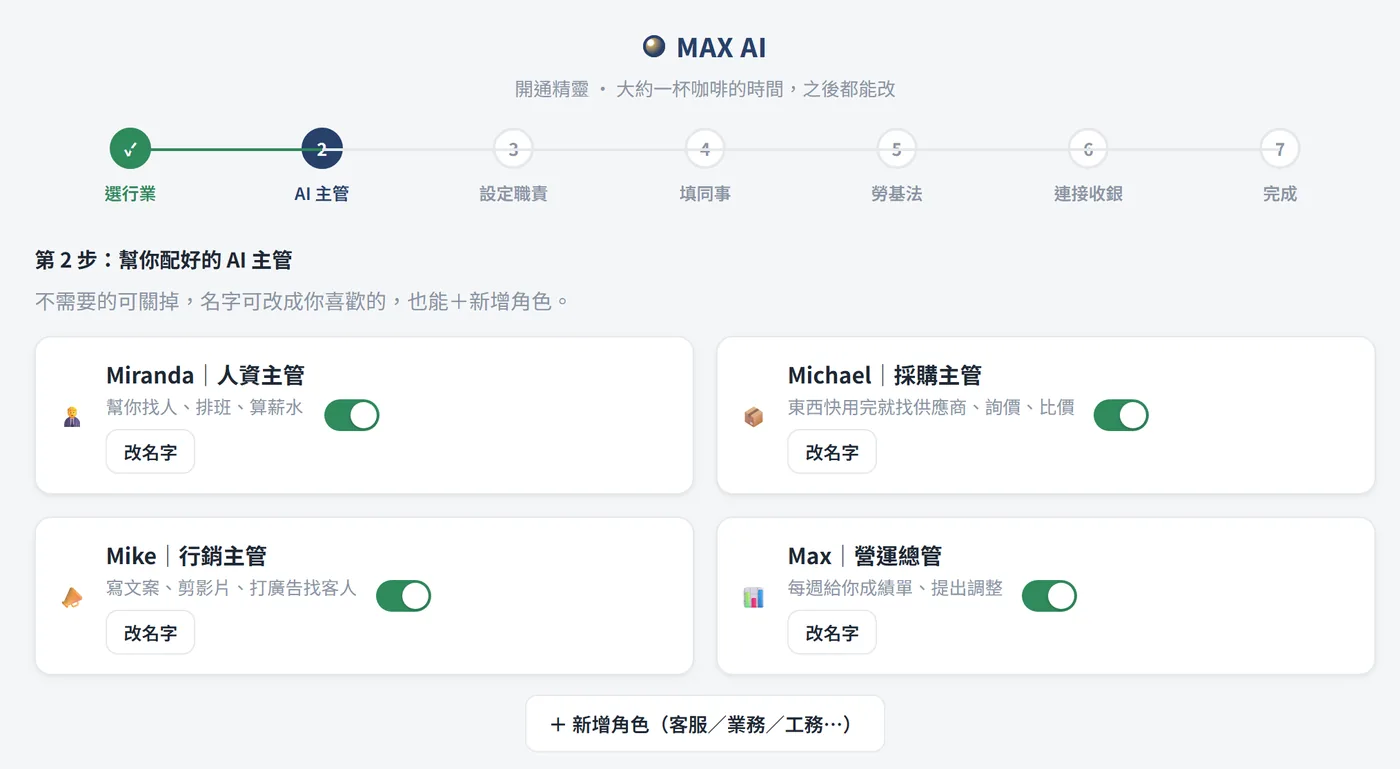
AI 主管組合|人資、採購、行銷、營運總管已配好,可改名、可關掉。畫面為模擬示意Simulated screen
8AI 主管組合Your AI managers人資、採購、行銷、營運總管已配好,可改名、可關掉。HR, purchasing, marketing and operations — rename or switch off.
設定職責|每位主管負責什麼、交給誰;花錢和用人一律鎖定要你核准。畫面為模擬示意Simulated screen
9設定職責Responsibilities每位主管負責什麼、交給誰;花錢和用人一律鎖定要你核准。Who does what; spending and hiring always need your approval.
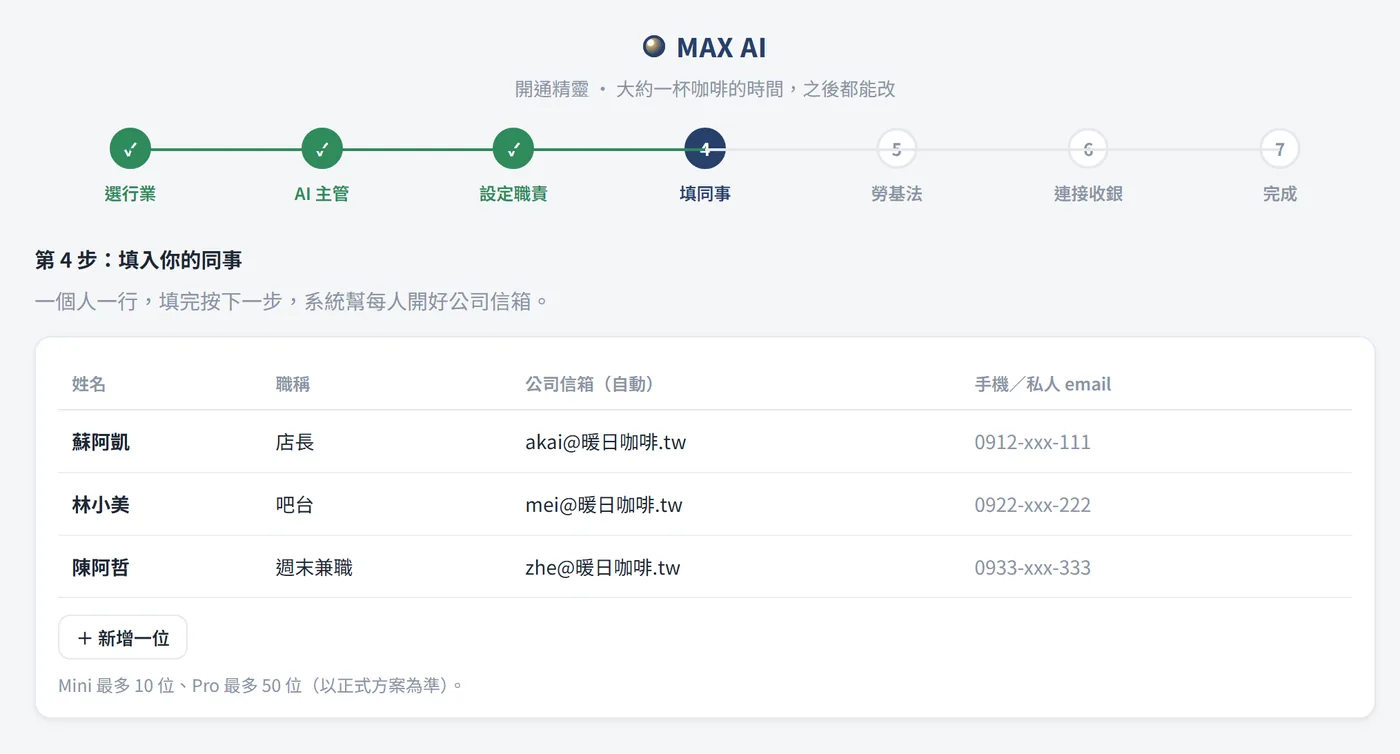
填同事資料|一人一行,系統幫每人開好公司信箱。畫面為模擬示意Simulated screen
10填同事資料Add your team一人一行,系統幫每人開好公司信箱。One line per person; company mailboxes are created.
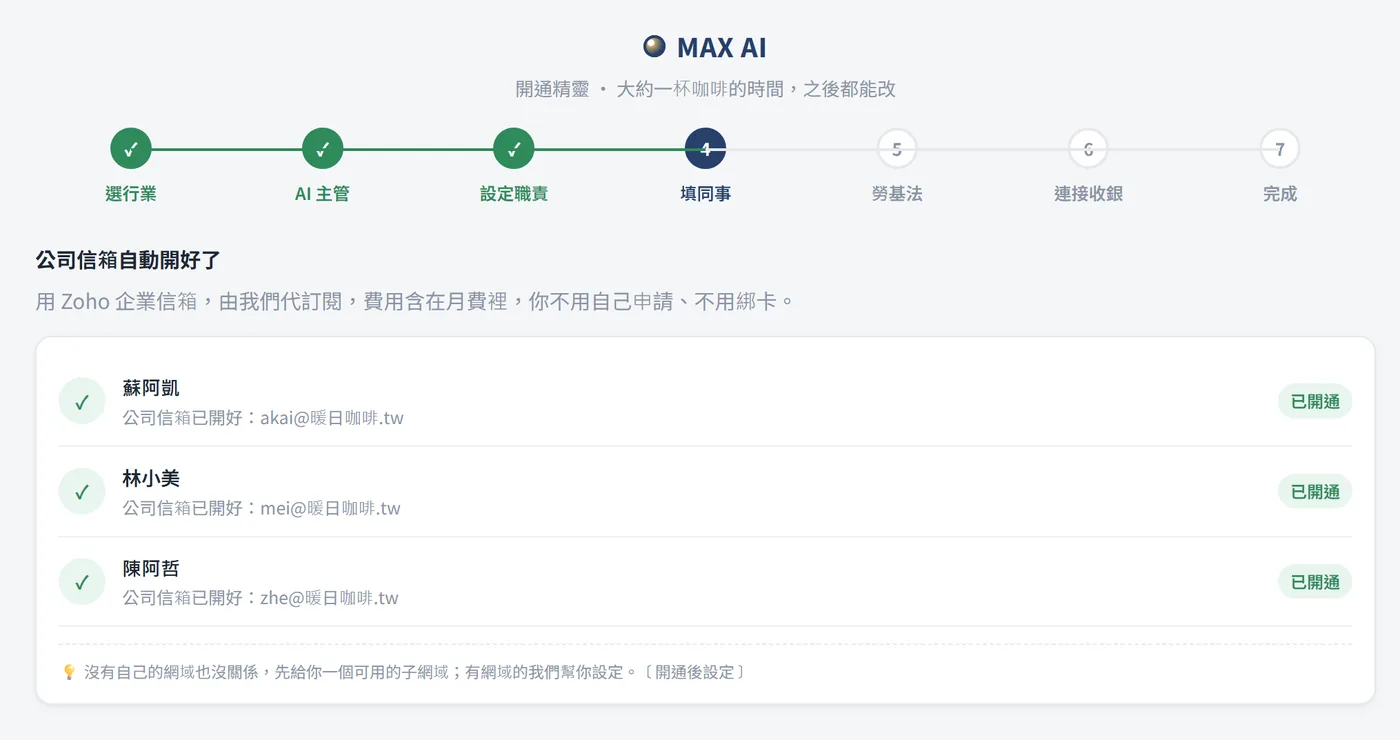
公司信箱|由我們代為開通,費用含在月費裡。畫面為模擬示意Simulated screen
11公司信箱Company mail開通後設定Set up after activation由我們代為開通,費用含在月費裡。We set up the mailboxes; included in the monthly fee.
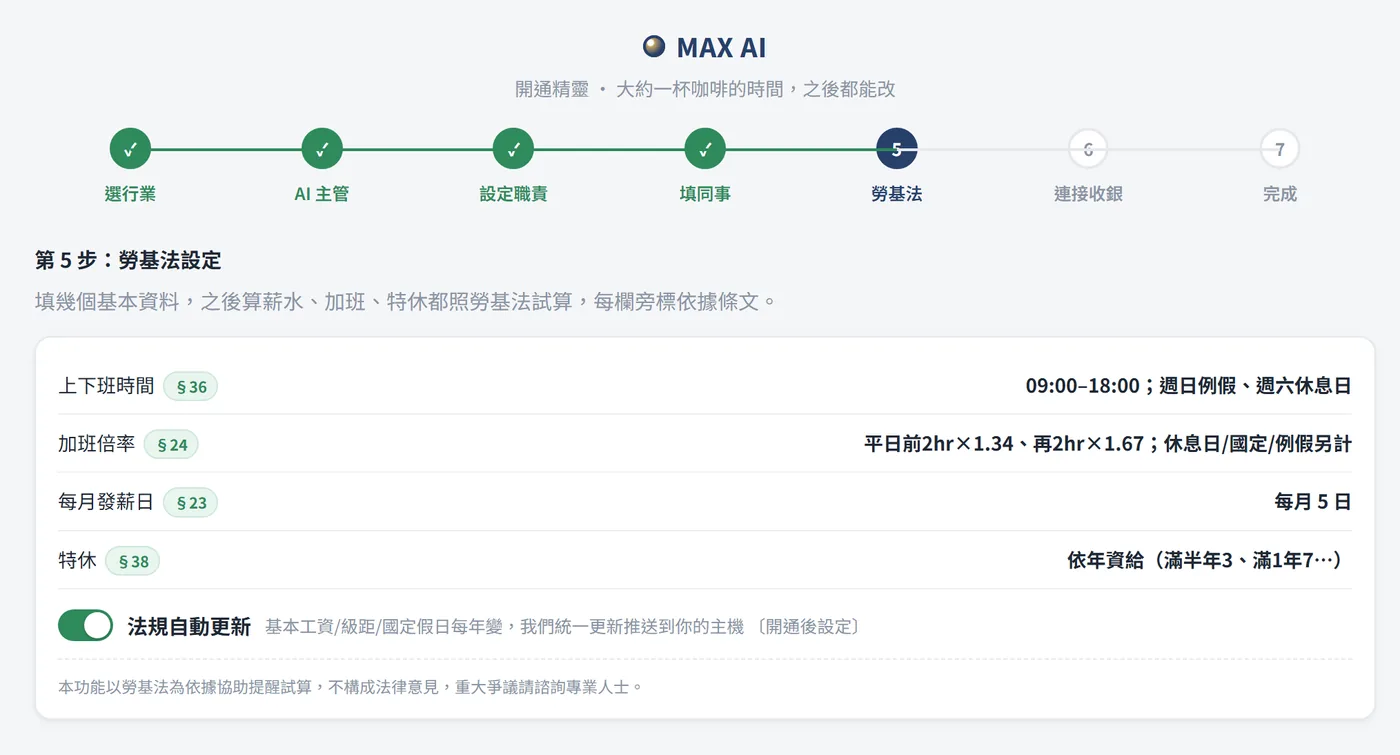
勞基法設定|工時、加班、特休照勞基法試算,每欄標條文。畫面為模擬示意Simulated screen
12勞基法設定Labor-law settings工時、加班、特休照勞基法試算,每欄標條文。Hours, overtime and leave calculated with the article cited.
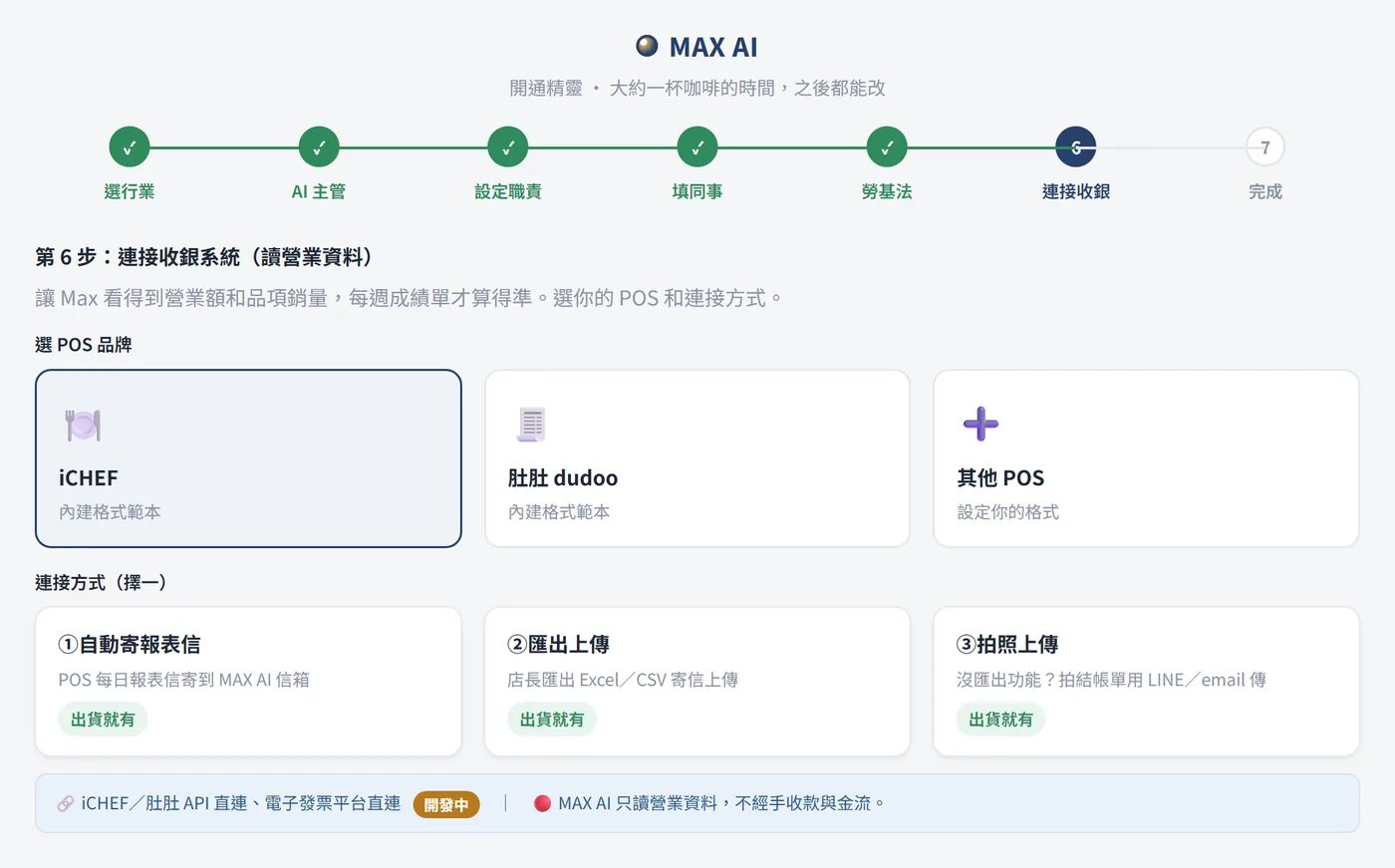
連接收銀|讀營業資料做成績單;只讀資料,不經手收款。畫面為模擬示意Simulated screen
13連接收銀Connect your POS讀營業資料做成績單;只讀資料,不經手收款。Reads sales data for reports; never touches payments.
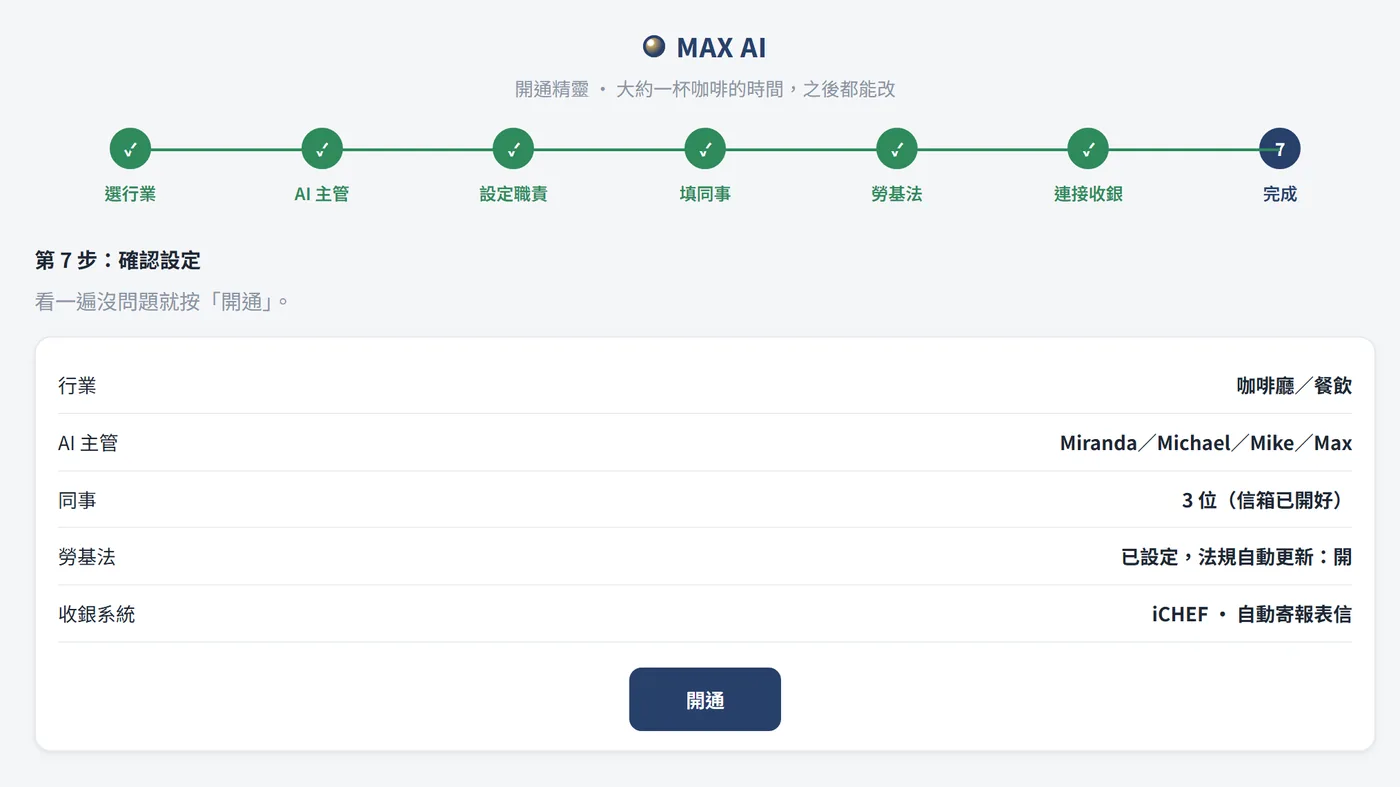
確認|看一遍沒問題,按「開通」。畫面為模擬示意Simulated screen
14確認Confirm看一遍沒問題,按「開通」。Review once and press “Activate”.
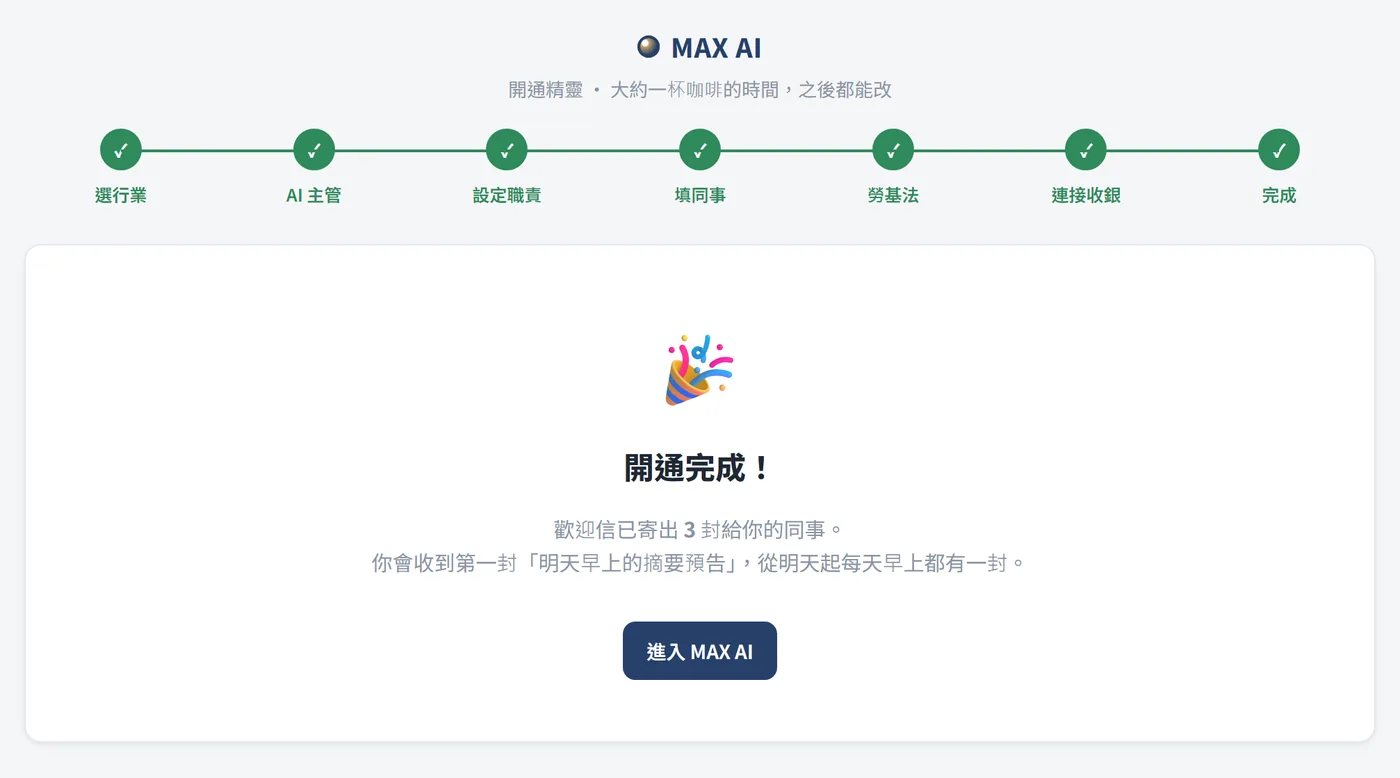
開通完成|同事收到歡迎信,隔天早上開始收摘要。畫面為模擬示意Simulated screen
15開通完成Done同事收到歡迎信,隔天早上開始收摘要。Your team gets a welcome email; digests start next morning.
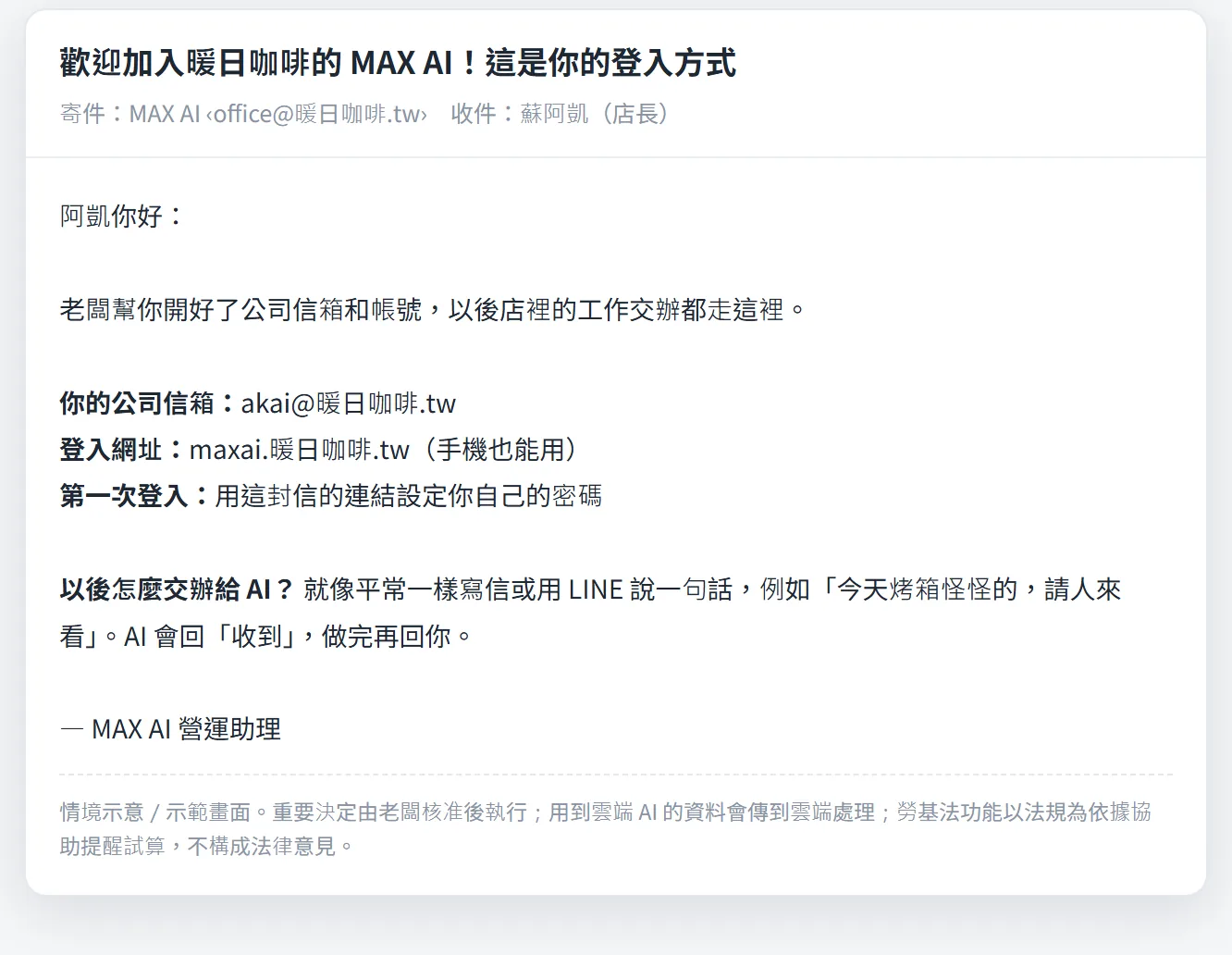
同事歡迎信|同事照信裡的方式登入,用寫信或 LINE 交辦。畫面為模擬示意Simulated screen
16同事歡迎信Welcome email同事照信裡的方式登入,用寫信或 LINE 交辦。Staff log in from the email and delegate by mail or LINE.
STEP 17–24

每天這樣用How you use it every day

寫信或 LINE 交辦,早上看摘要,手機按核准。Delegate by mail or LINE, read the digest, approve on your phone.

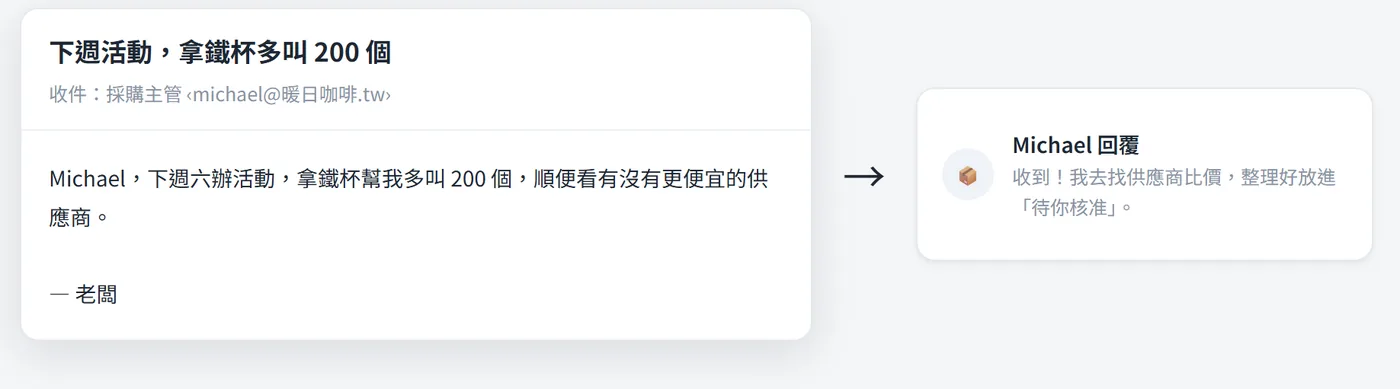
寫信交辦|像平常一樣寫信給採購主管,它回「收到」就去辦。畫面為模擬示意Simulated screen
17寫信交辦Delegate by email像平常一樣寫信給採購主管,它回「收到」就去辦。Write to your purchasing manager as usual; it confirms and gets going.
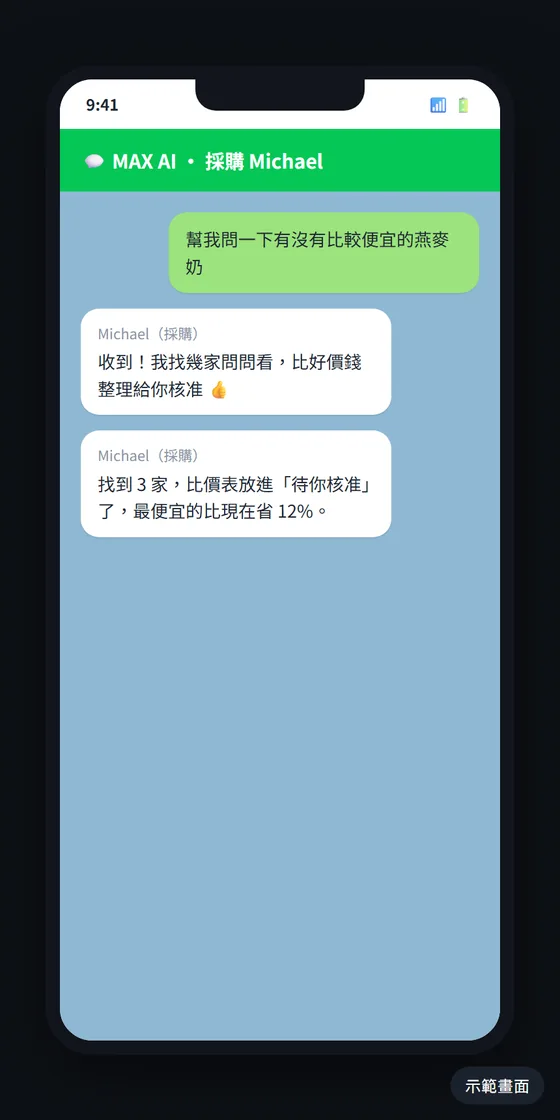
LINE 交辦|傳一句話,比好價錢放進待你核准。畫面為模擬示意Simulated screen
18LINE 交辦Delegate on LINE開通後設定Set up after activation傳一句話,比好價錢放進待你核准。One message; the price comparison lands in your approval list.
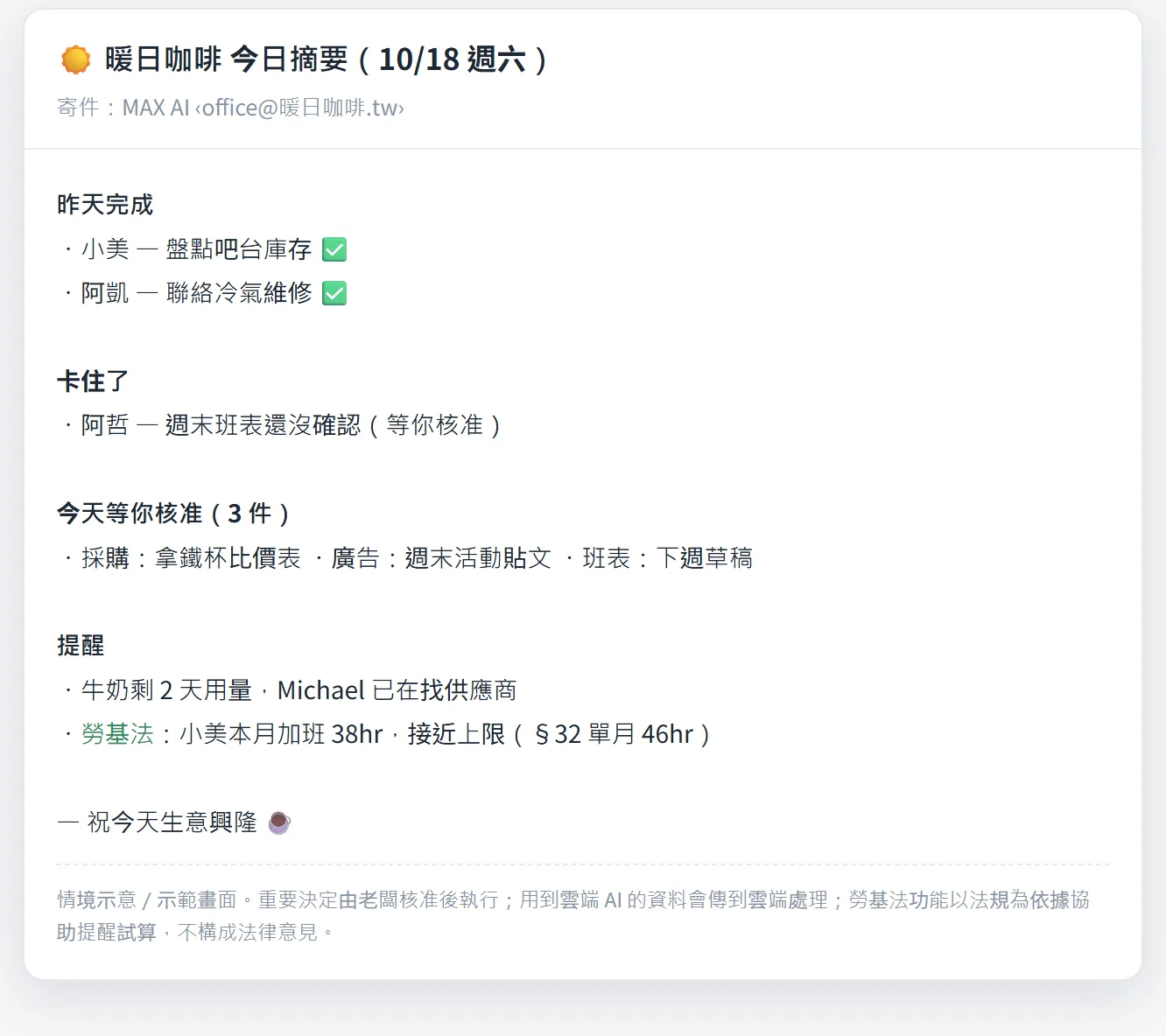
每日摘要|每天早上一封:昨天完成、卡住的、今天等你核准的。畫面為模擬示意Simulated screen
19每日摘要Daily digest每天早上一封:昨天完成、卡住的、今天等你核准的。Every morning: done, stuck, and what needs your approval.
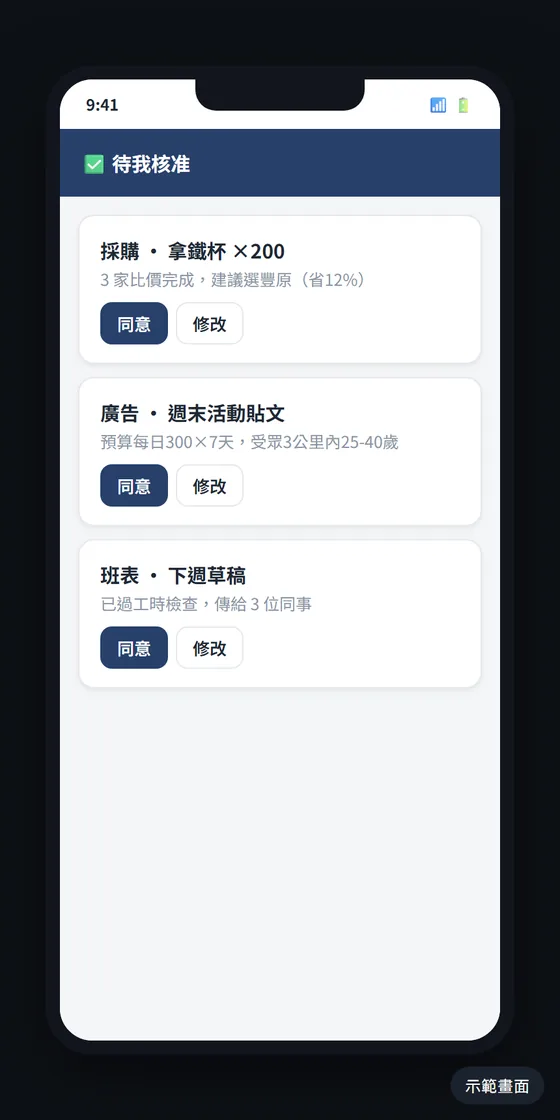
手機核准|在手機上按「同意」或「修改」。畫面為模擬示意Simulated screen
20手機核准Approve on your phone在手機上按「同意」或「修改」。Tap “Approve” or “Edit”.
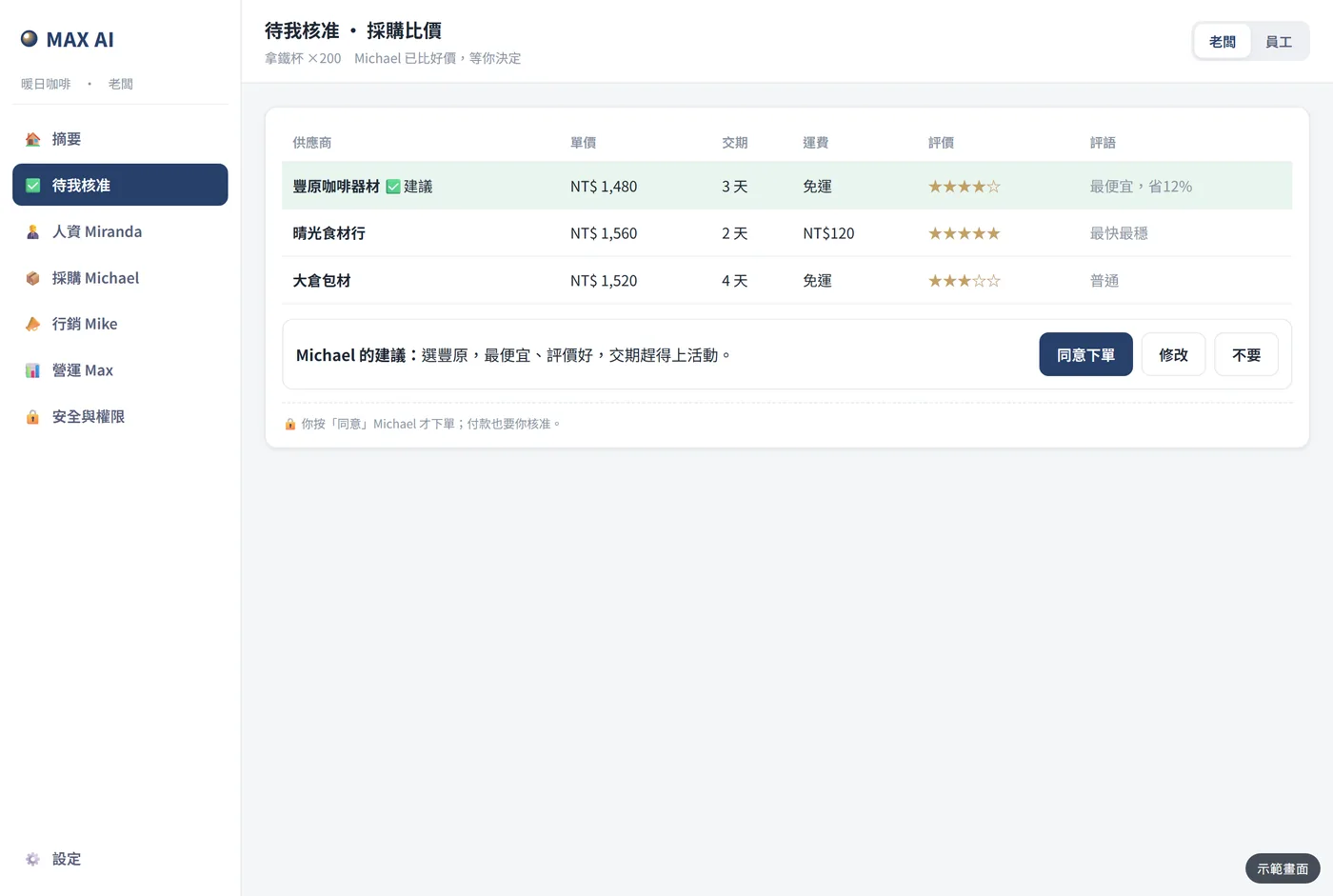
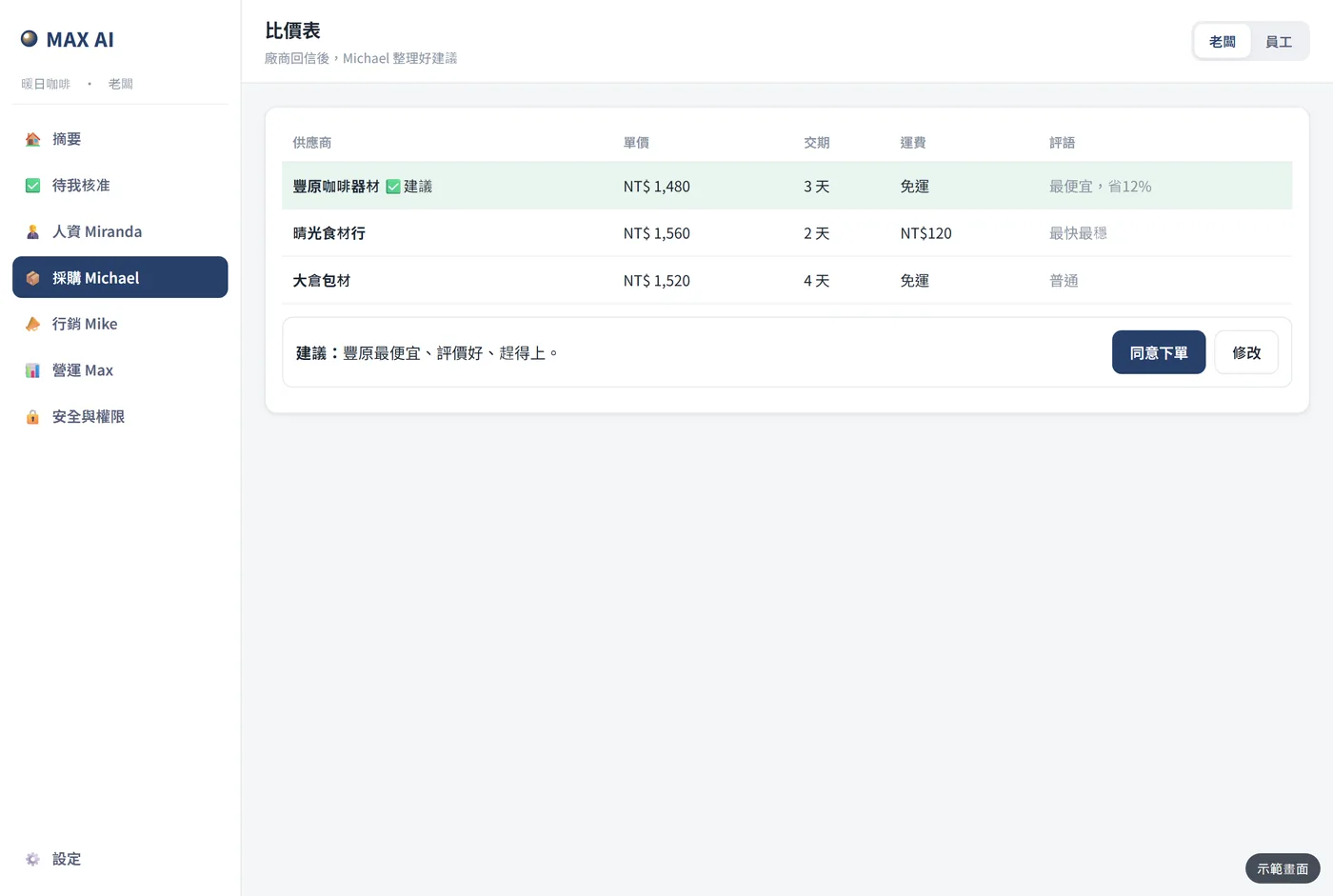
核准比價表|三家比好價、附建議,你決定要不要下單。畫面為模擬示意Simulated screen
21核准比價表Approve a comparison三家比好價、附建議,你決定要不要下單。Three quotes with a recommendation; you decide.
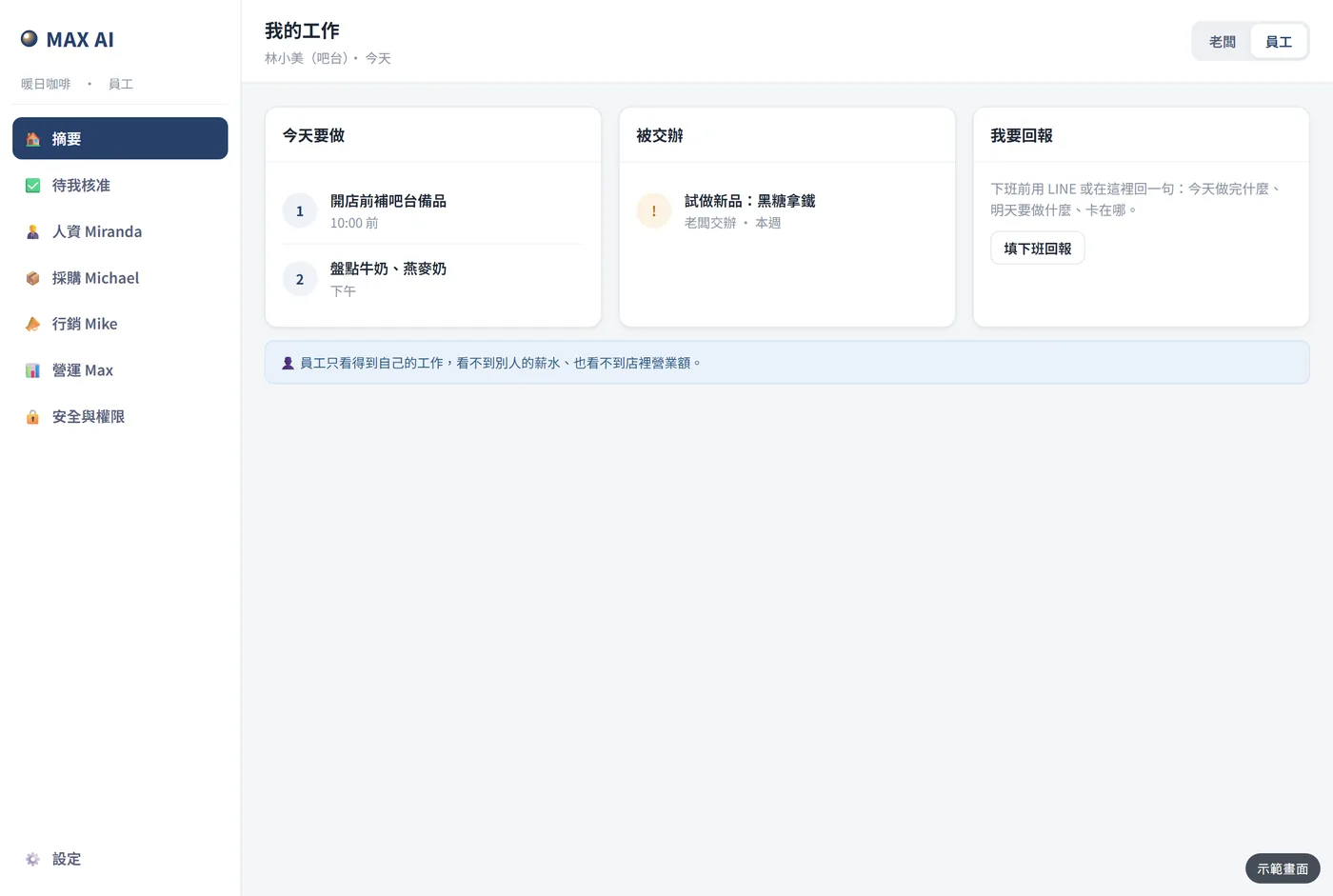
員工:我的工作|員工只看到自己的工作,看不到別人的薪水。畫面為模擬示意Simulated screen
22員工:我的工作Staff: My tasks員工只看到自己的工作,看不到別人的薪水。Staff see only their own work, never others’ pay.
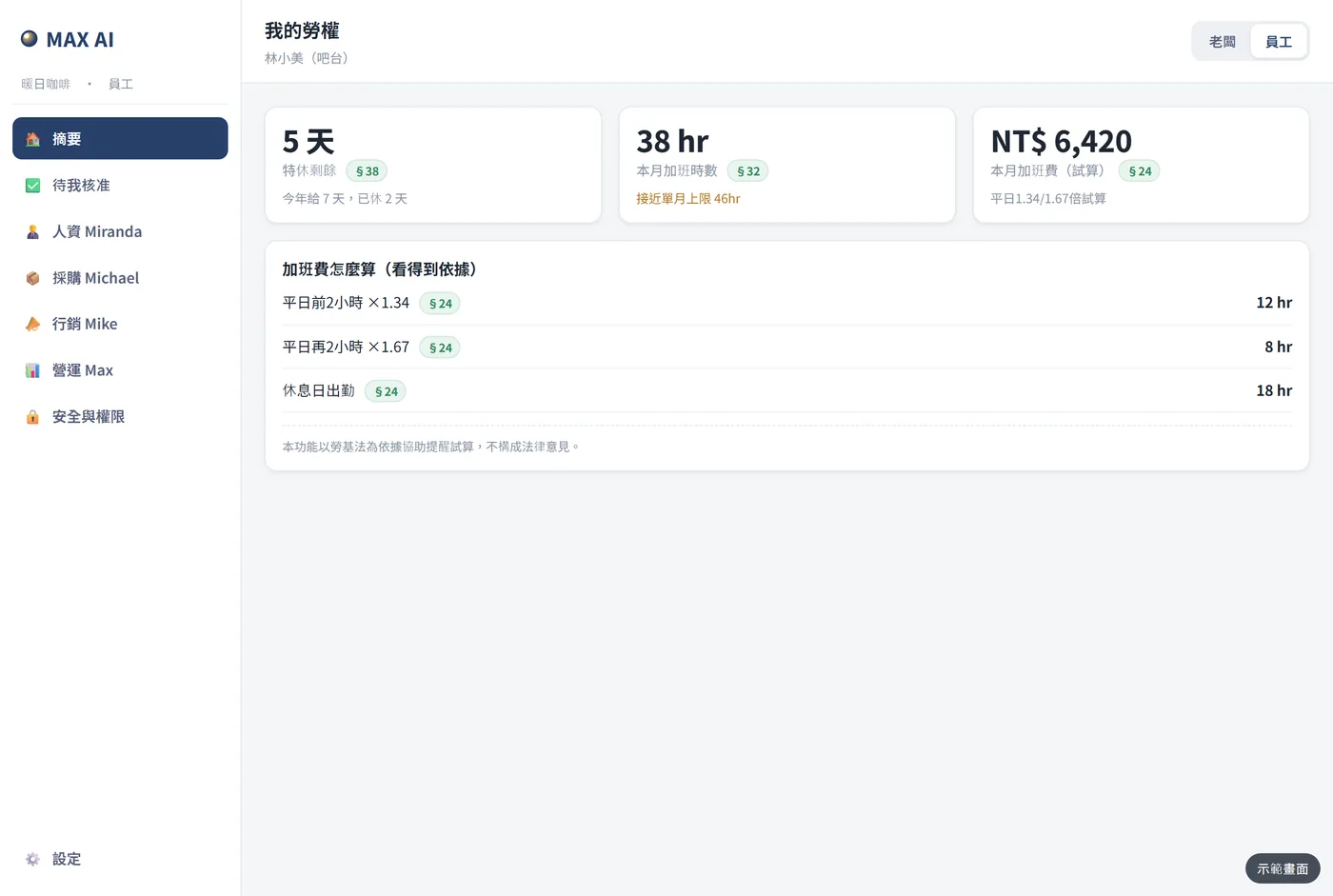
員工:我的勞權|特休、加班、加班費試算,看得到依據。畫面為模擬示意Simulated screen
23員工:我的勞權Staff: My rights特休、加班、加班費試算,看得到依據。Leave, overtime and overtime-pay estimates with the legal basis.
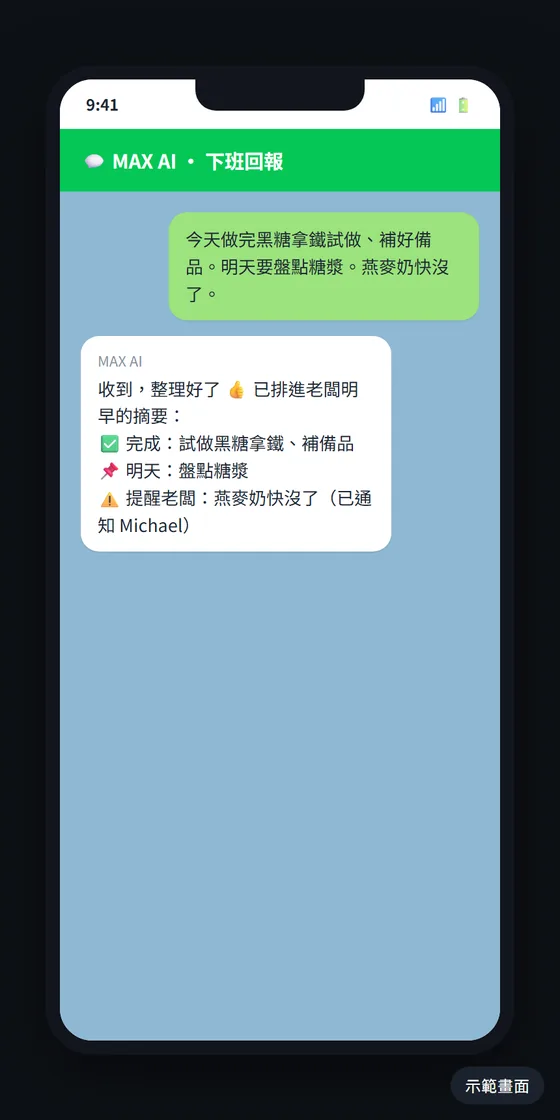
下班回報|員工用 LINE 回一句,明早整理進你的摘要。畫面為模擬示意Simulated screen
24下班回報End-of-day report員工用 LINE 回一句,明早整理進你的摘要。Staff reply on LINE; it goes into your next digest.
The AI managers at work

每位 AI 主管在做什麼What each AI manager does

人資、採購、行銷、營運,花錢和用人的事都先交給你核准。HR, purchasing, marketing and operations — spending and people decisions always come to you first.

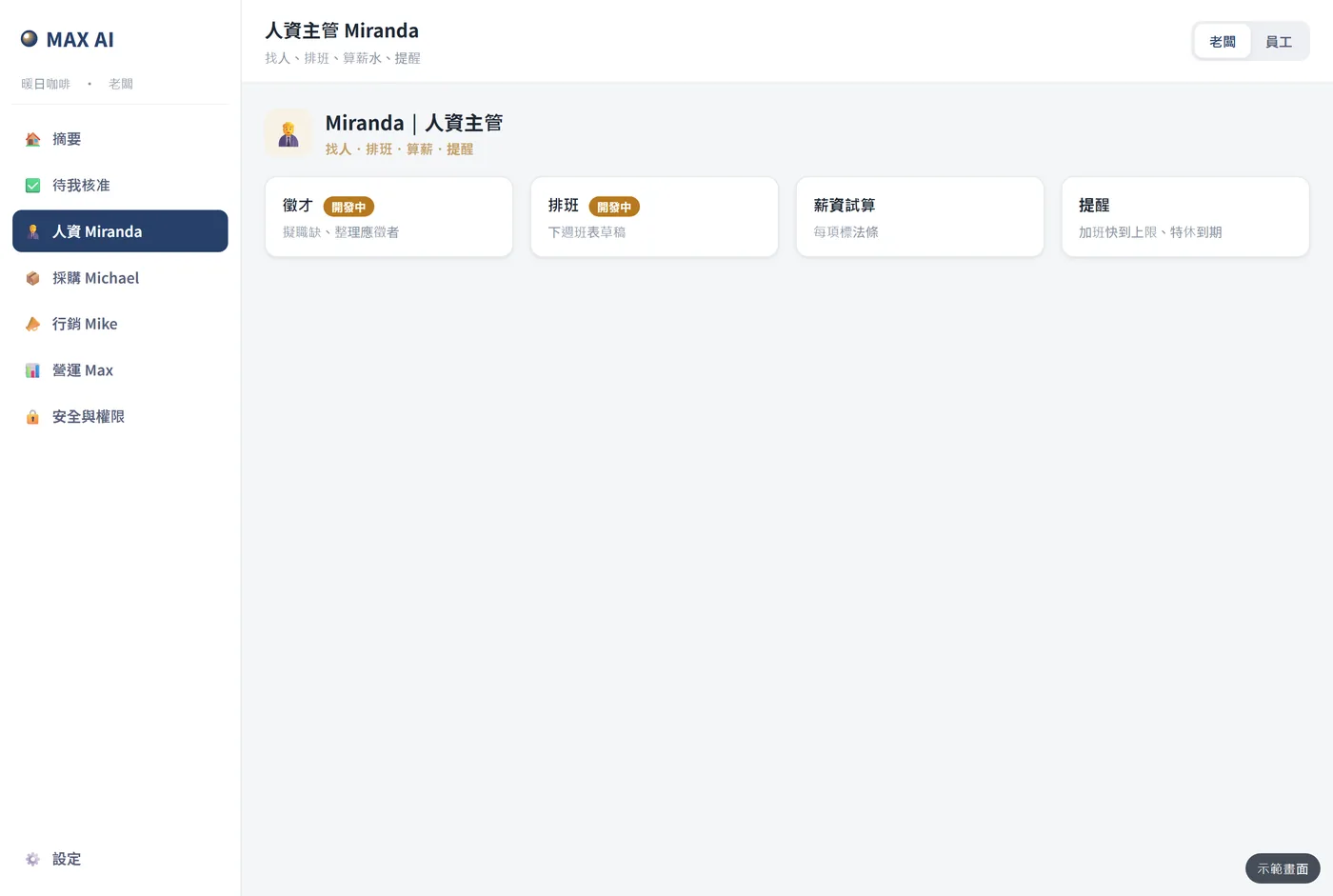
人資主管|找人、排班、算薪水、提醒。畫面為模擬示意Simulated screen
人資主管HR manager開發中In development找人、排班、算薪水、提醒。Hiring, scheduling, payroll, reminders.
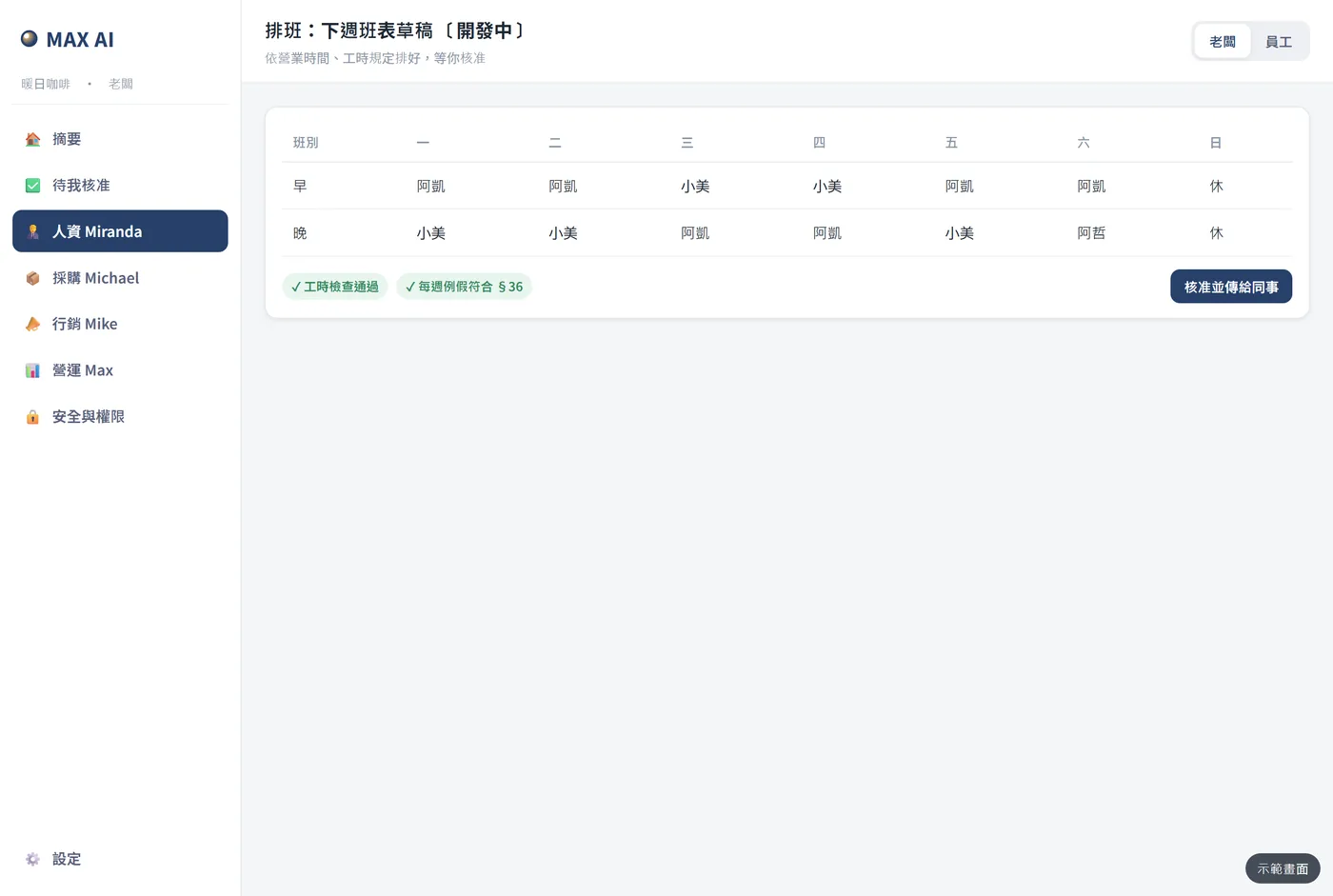
排班|依營業時間與工時規定排好草稿,等你核准。畫面為模擬示意Simulated screen
排班Scheduling開發中In development依營業時間與工時規定排好草稿,等你核准。A draft roster within working-hour rules, for your approval.
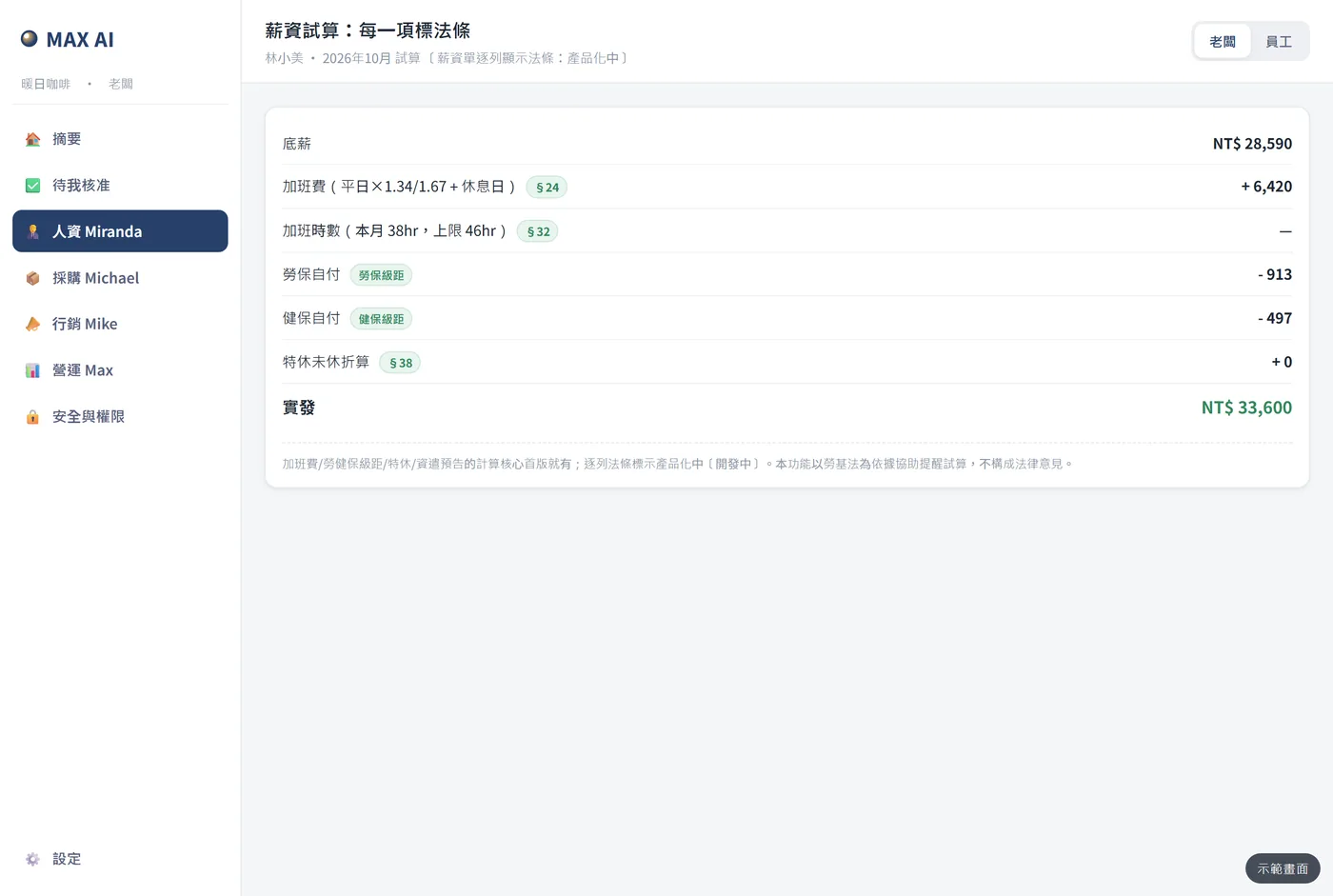
薪資試算|每一項標出勞基法條文。畫面為模擬示意Simulated screen
薪資試算Payroll estimate開發中In development每一項標出勞基法條文。Every line cites the labor-law article.
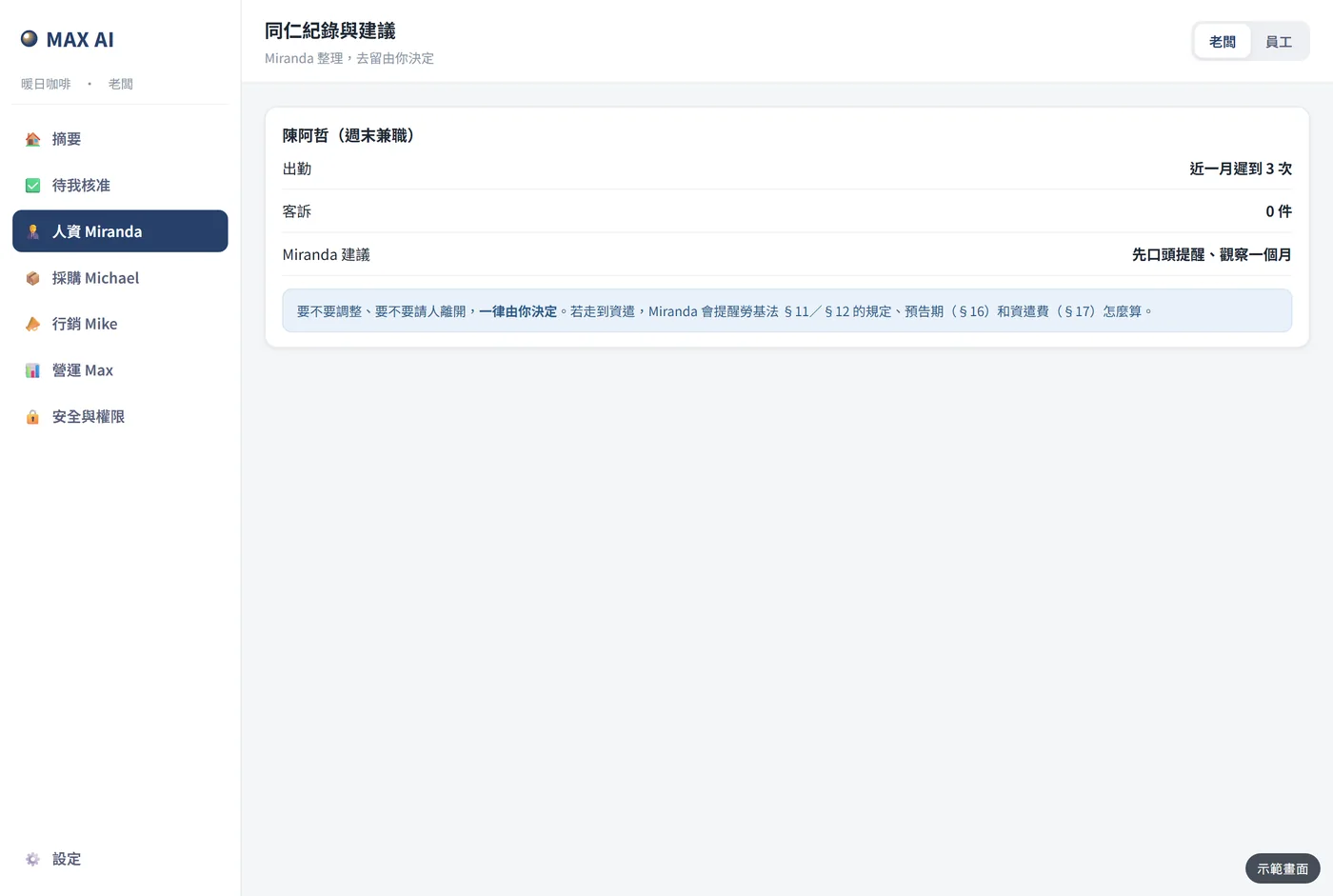
同仁紀錄|整理出勤與建議,去留一律由你決定。畫面為模擬示意Simulated screen
同仁紀錄Staff records整理出勤與建議,去留一律由你決定。Attendance and suggestions; decisions stay with you.
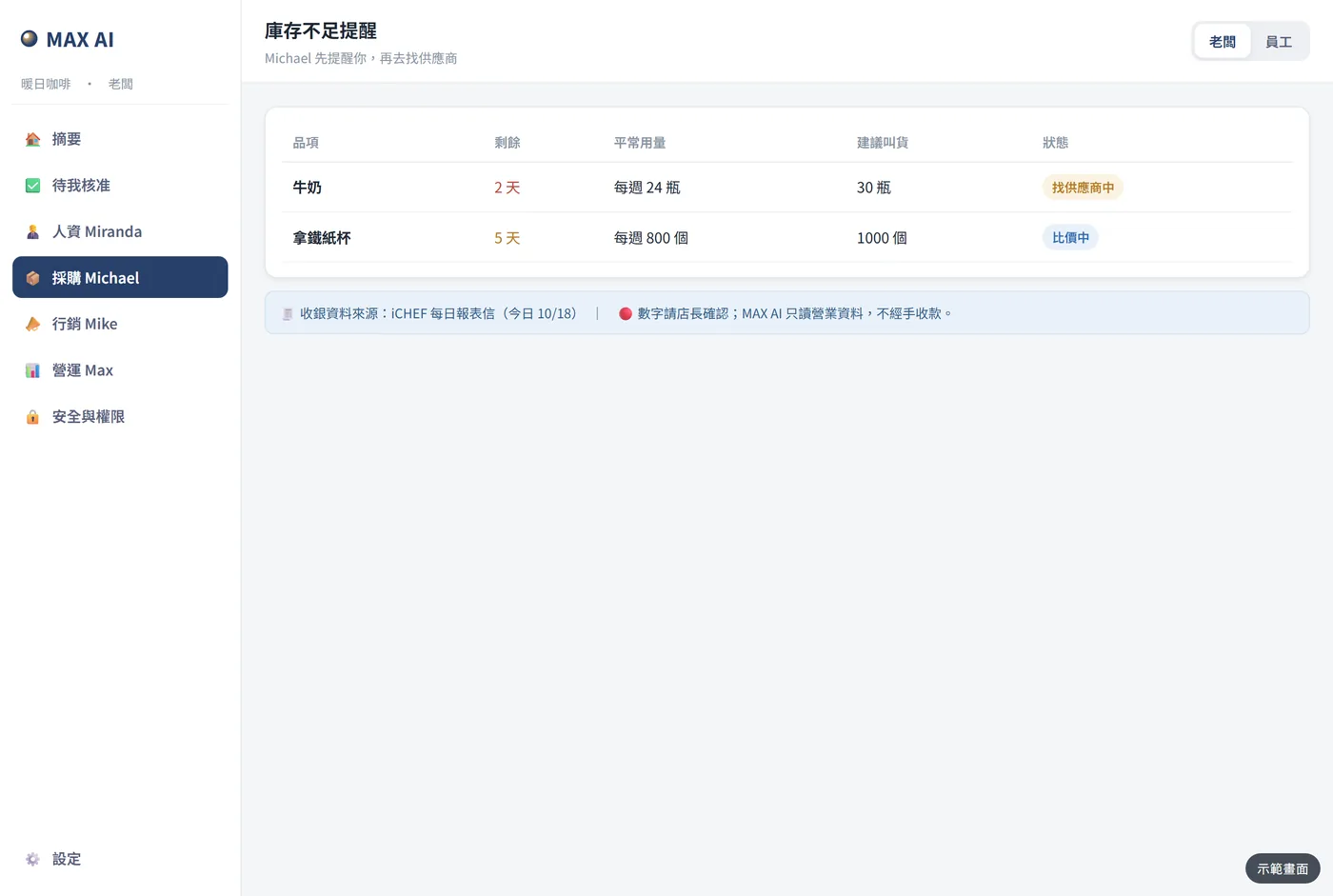
庫存提醒|快用完先提醒你,再去找供應商。畫面為模擬示意Simulated screen
庫存提醒Low-stock alert快用完先提醒你,再去找供應商。Warns you first, then looks for suppliers.
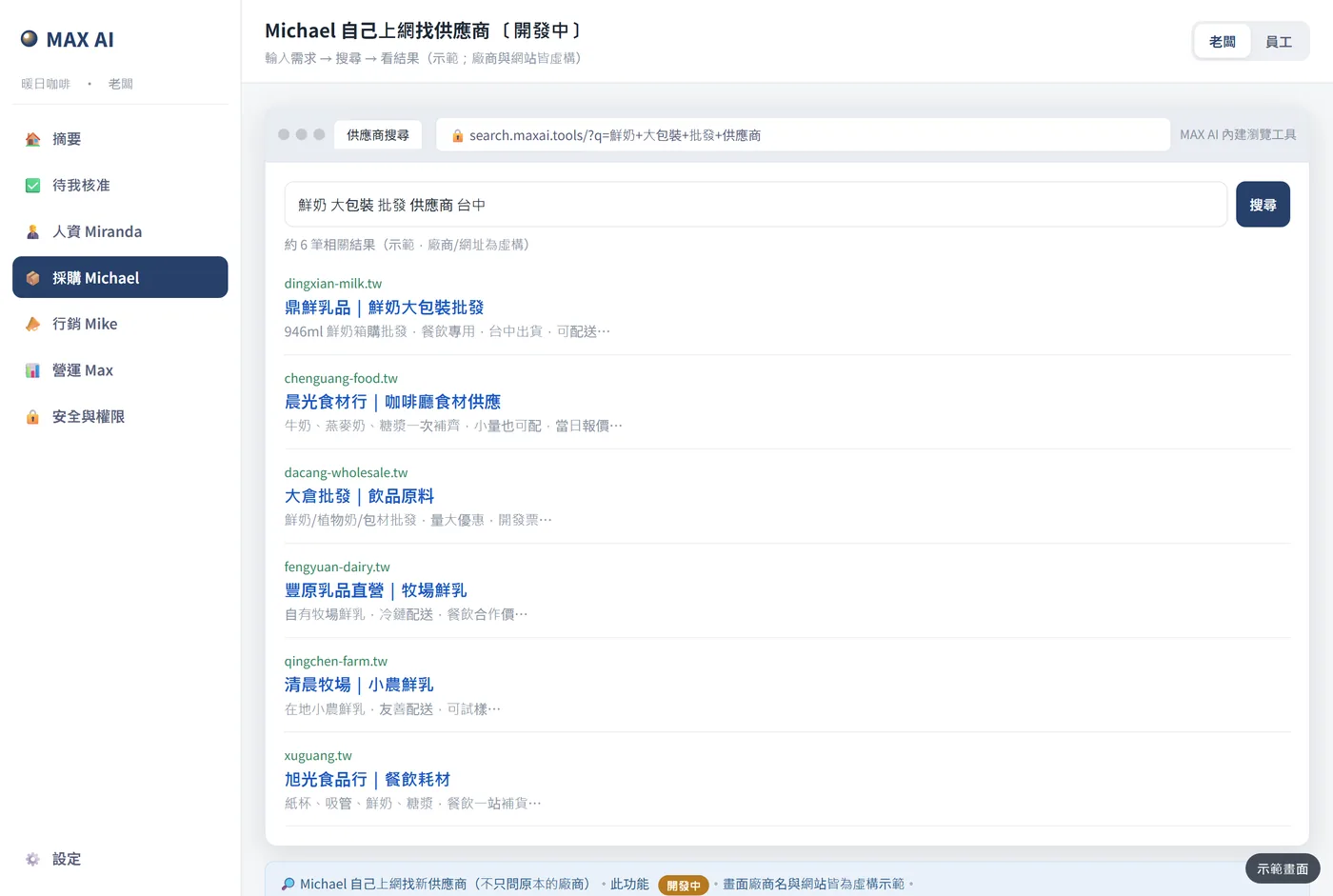
找供應商|採購主管自己上網搜尋供應商。畫面為模擬示意Simulated screen
找供應商Find suppliers開發中In development採購主管自己上網搜尋供應商。The purchasing manager searches the web.
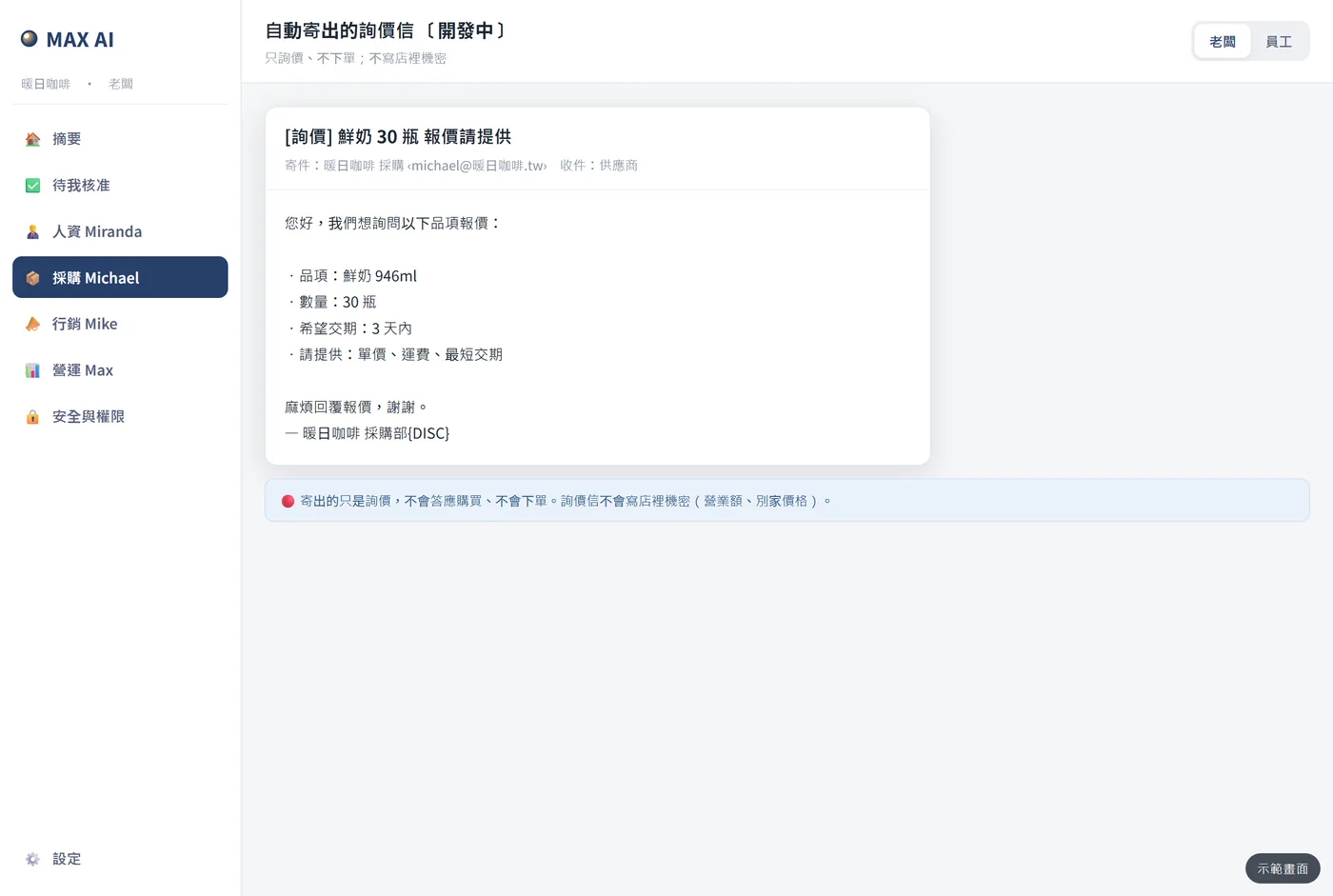
詢價信|只詢價、不下單,不寫店裡機密。畫面為模擬示意Simulated screen
詢價信RFQ email開發中In development只詢價、不下單,不寫店裡機密。Asks for quotes only — never orders, never shares secrets.
比價表|廠商回信後整理好建議,你按同意才下單。畫面為模擬示意Simulated screen
比價表Price comparison廠商回信後整理好建議,你按同意才下單。Replies summarised with a pick; nothing is ordered until you agree.
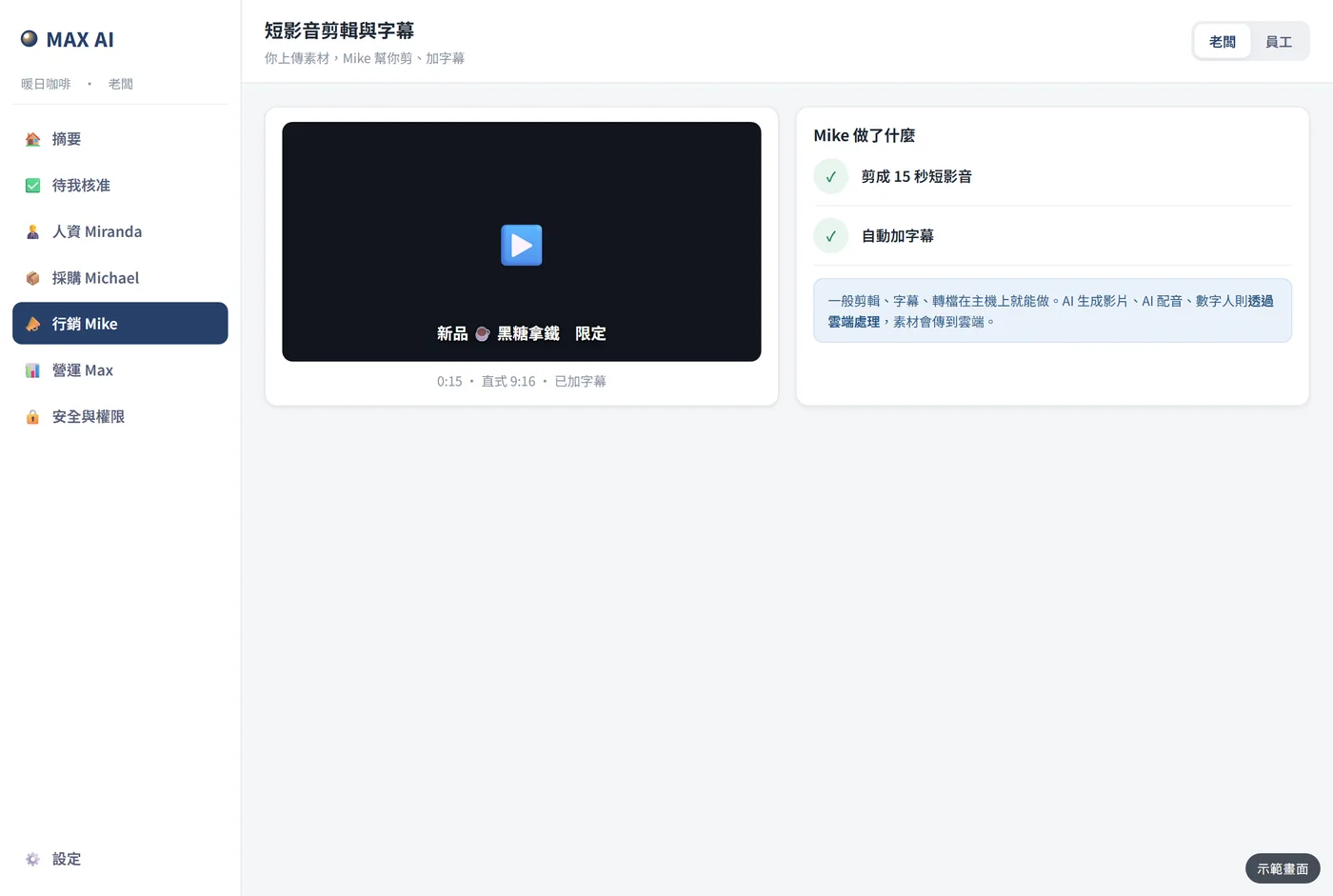
短影音|上傳素材,幫你剪好、加字幕。畫面為模擬示意Simulated screen
短影音Short video上傳素材,幫你剪好、加字幕。Upload footage; it cuts and subtitles for you.
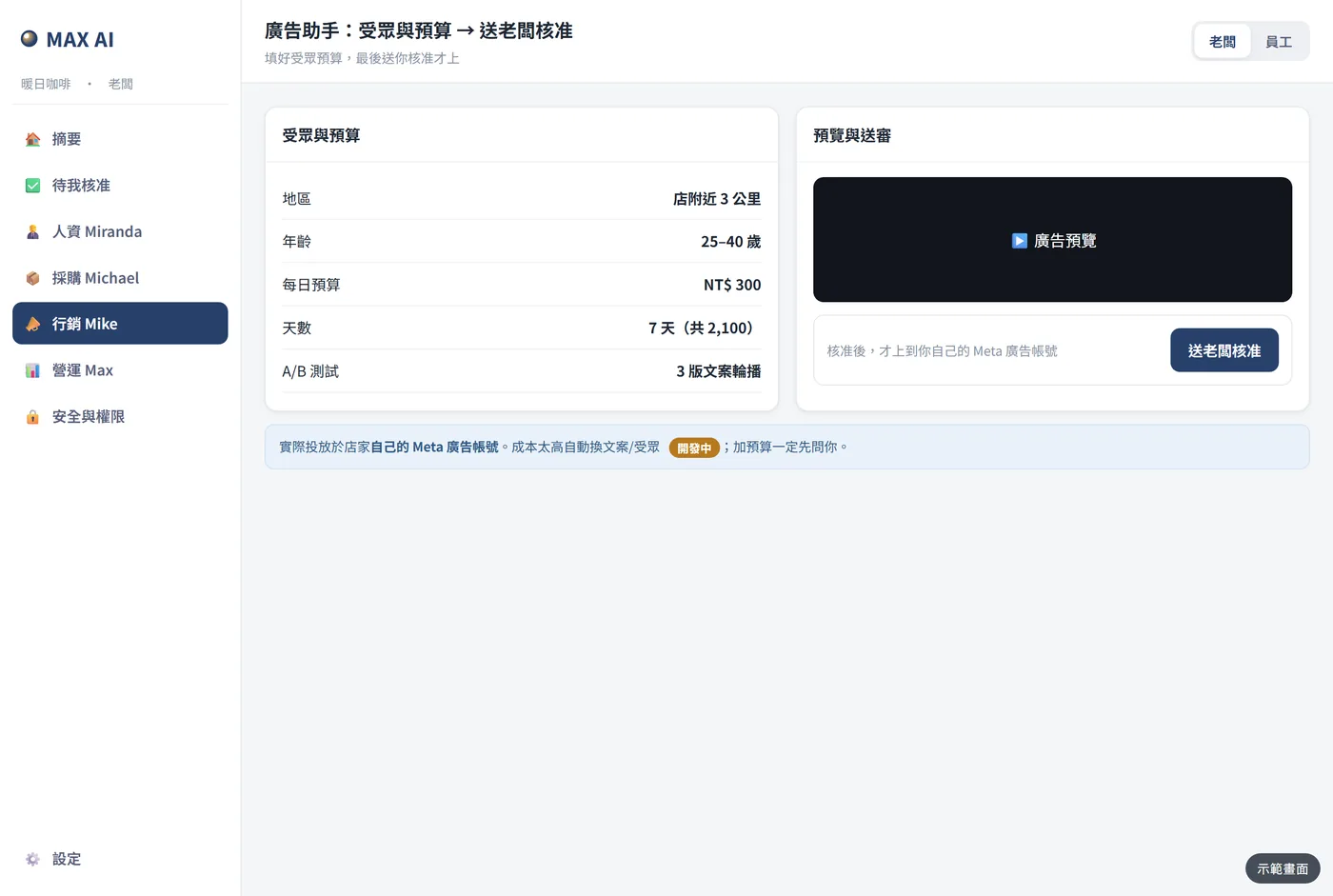
廣告受眾與預算|用你自己的廣告帳號,核准後才上。畫面為模擬示意Simulated screen
廣告受眾與預算Ad audience & budget用你自己的廣告帳號,核准後才上。Your own ad account; nothing runs until you approve.
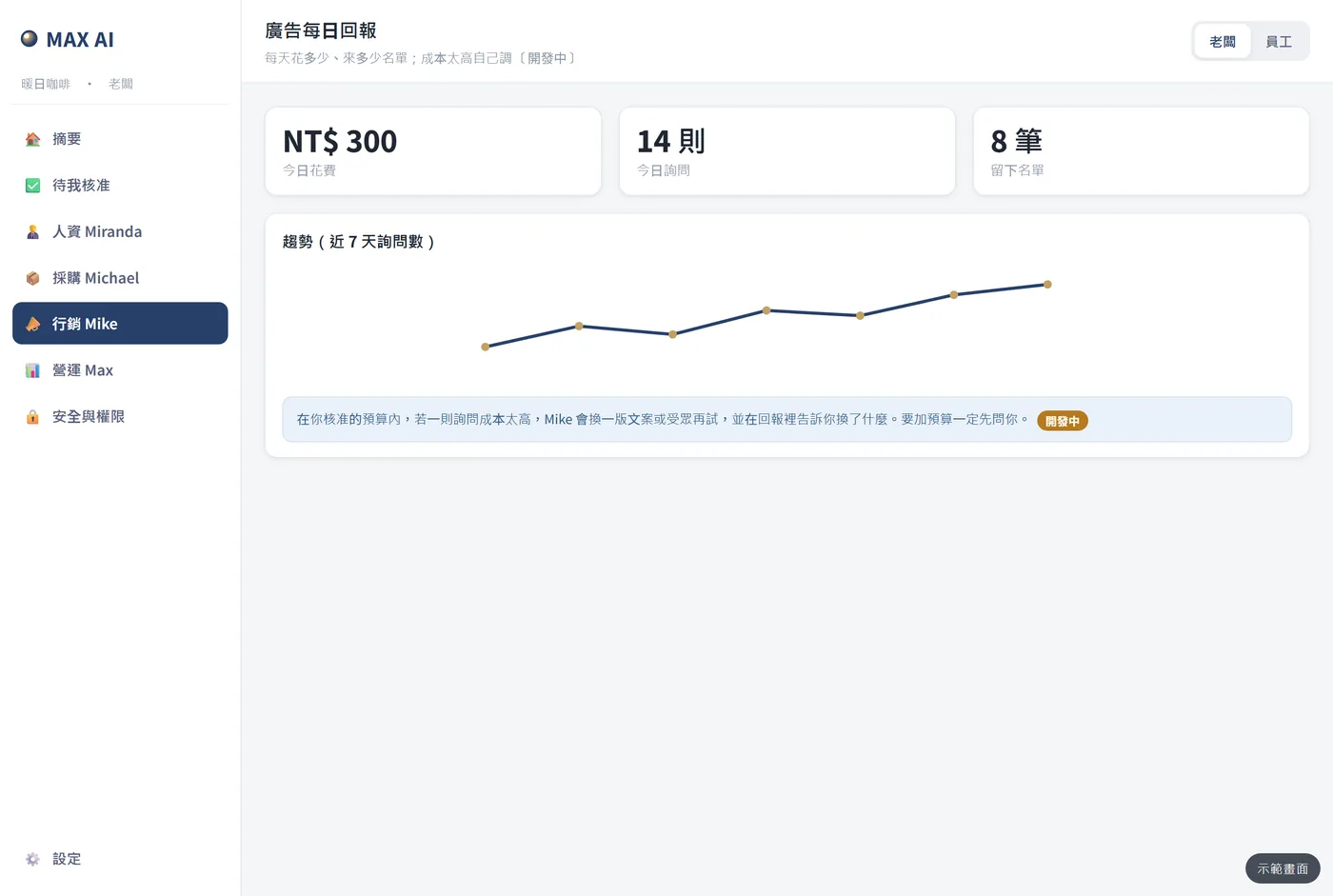
廣告回報|每天花多少、來多少詢問。畫面為模擬示意Simulated screen
廣告回報Ad report開發中In development每天花多少、來多少詢問。Daily spend and enquiries.
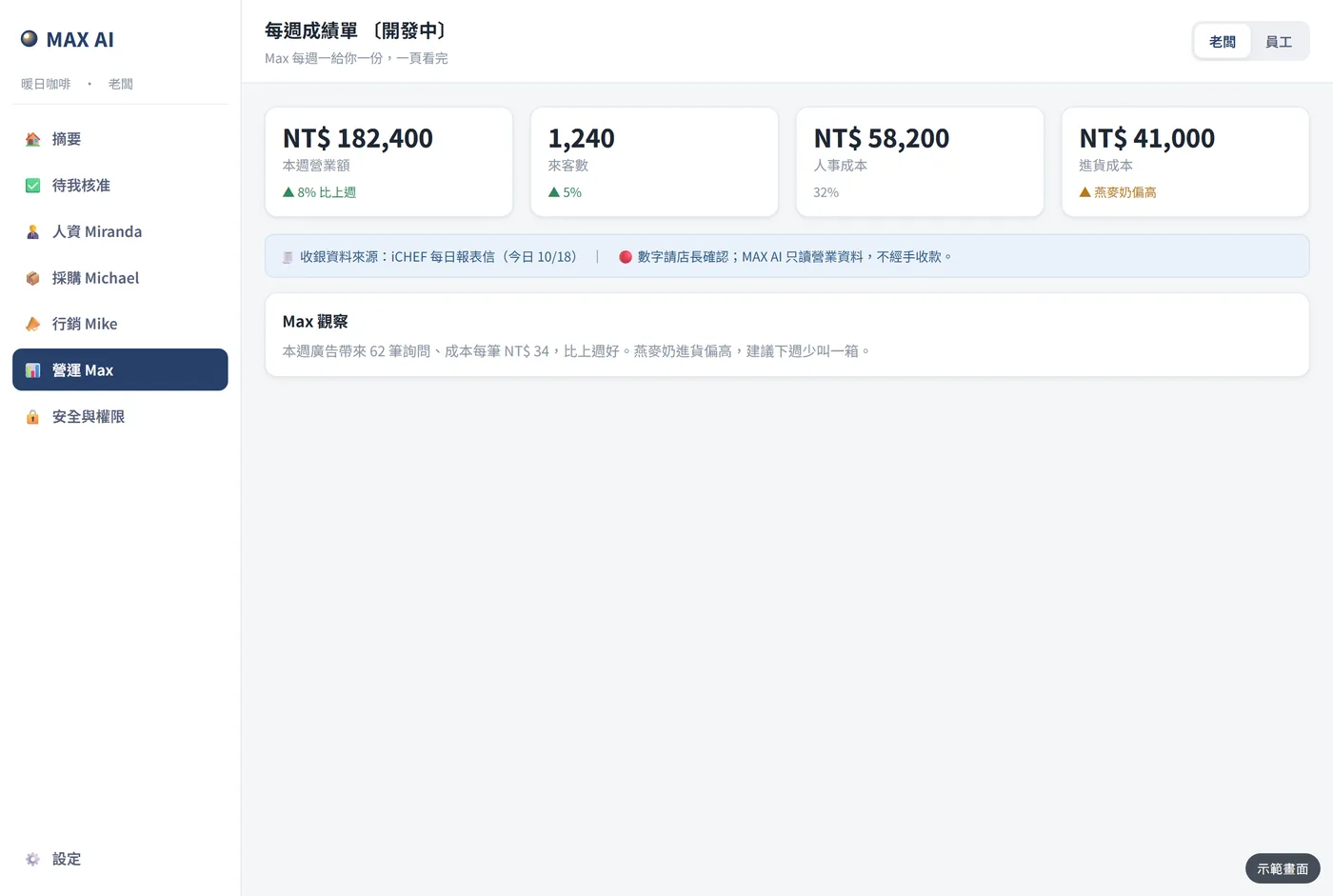
每週成績單|營業額、來客、人事與進貨成本一頁看完。畫面為模擬示意Simulated screen
每週成績單Weekly report開發中In development營業額、來客、人事與進貨成本一頁看完。Revenue, visitors, staff and purchasing costs on one page.
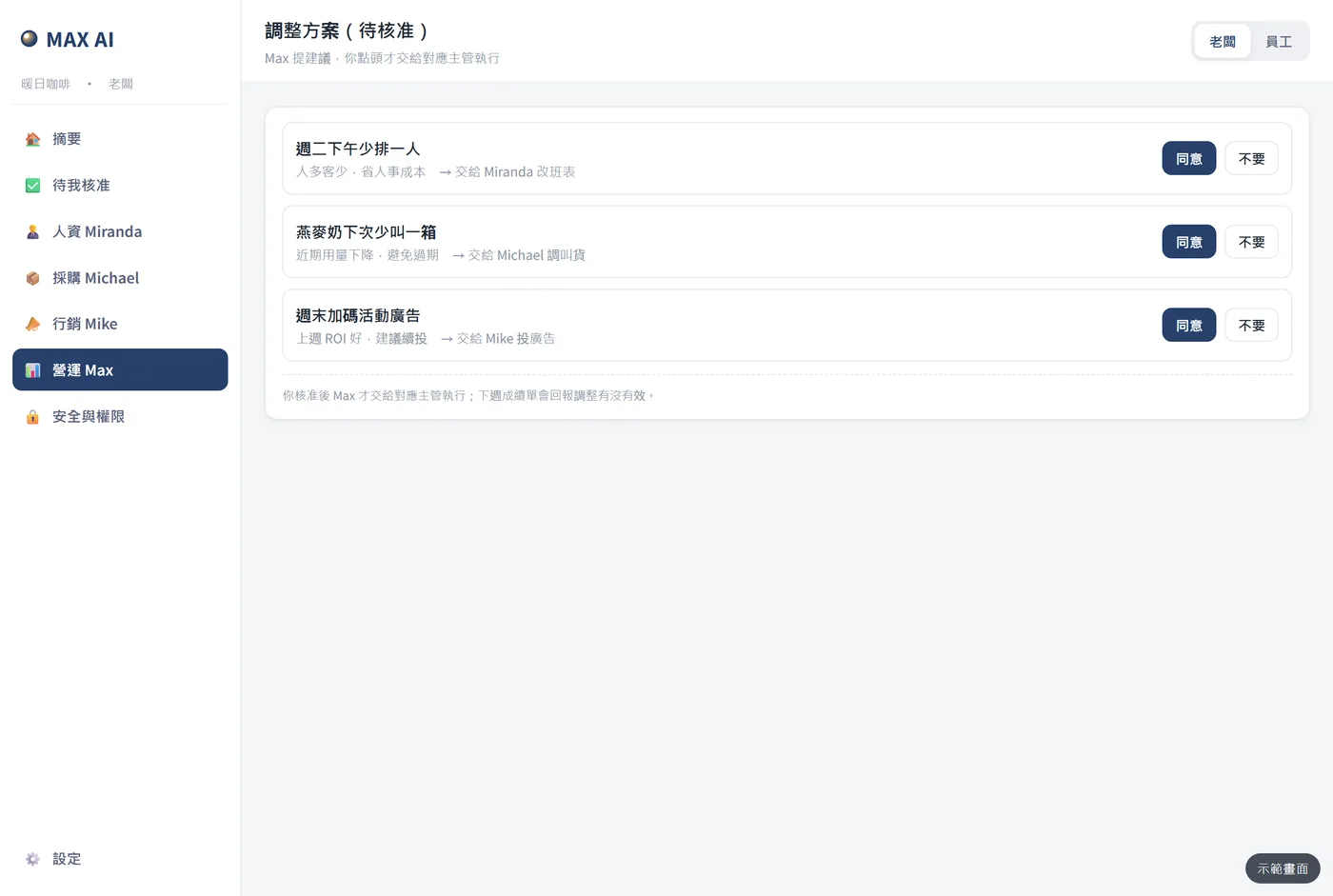
調整建議|營運總管提建議,你點頭才交給各主管執行。畫面為模擬示意Simulated screen
調整建議Adjustments營運總管提建議,你點頭才交給各主管執行。Suggestions are carried out only after you agree.
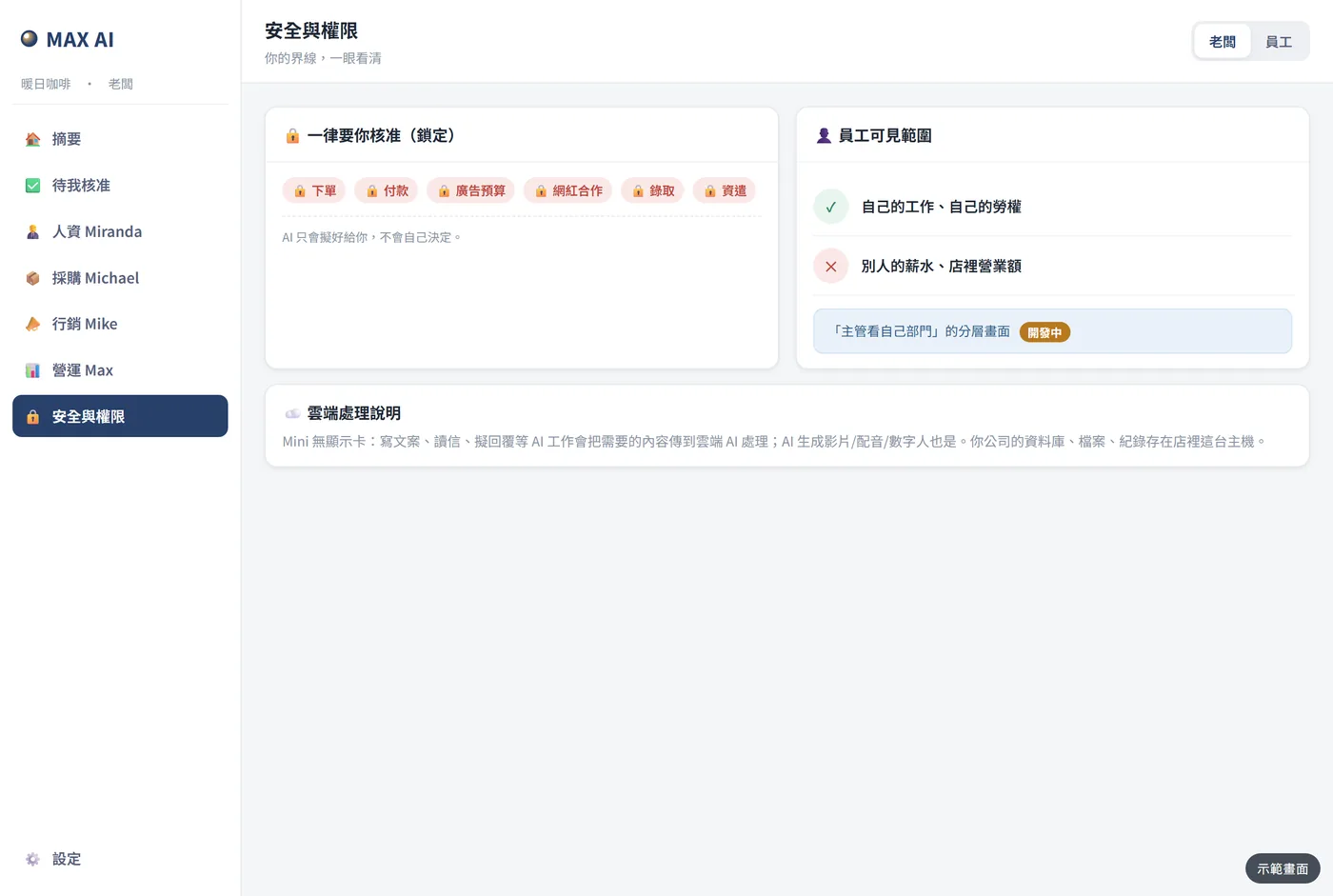
安全與權限|下單、付款、廣告預算、錄取、資遣,一律要你核准。畫面為模擬示意Simulated screen
安全與權限Safety & permissions下單、付款、廣告預算、錄取、資遣,一律要你核准。Orders, payments, ad budgets, hiring and dismissal always need you.
橘色「開發中」為首版之後陸續開放;藍色「開通後設定」於開通時依你的生意設定。畫面皆為模擬示意。“In development” features roll out after the first release; “Set up after activation” items are configured during onboarding. All screens are simulations.

Compare

跟多請一個人比Compared with hiring one more person

多請一個人Hiring one more person
MAX AI 代營運主機Operations Host
上手Getting started
徵人、面試、教到會Recruit, interview, train
插電、掃碼、選行業,開通精靈大約一杯咖啡的時間Plug in, scan, pick your industry — setup takes about a cup of coffee
管的範圍Scope
一個人顧一塊One person, one area
人資、採購、行銷、營運一整組HR, purchasing, marketing and operations together
時間Hours
上班時間,會請假Office hours, takes leave
全天候在公司盯著Always on, in your office
離職交接Turnover
人走了,經驗也跟著走When people leave, know-how leaves too
規則和往來紀錄都留在公司Rules and records stay with the company
費用Cost
每月薪資+勞健保Monthly salary plus insurance
首次方案 NT$16,800 起(全額換模組額度)+月費(包底+模組)First payment from NT$16,800 (all becomes module credit) + monthly fee (base + modules)
決定權Decisions
—
花錢、用人、對外發送,一律由你核准Spending, hiring and outbound messages always need your approval

MAX AI 協助整理與提出建議,不取代你的判斷;需要人到現場的工作仍要有人做。MAX AI organises and suggests; it does not replace your judgement or on-site work.

Specs

規格與內容物Specs & what’s in the box

以下為 MAX AI 主機規格(標準、入門方案);專業方案另加地端 AI 主機,企業級為地端 AI 伺服器,規格依報價單。Specs below are for the MAX AI host (Standard and Starter). Pro adds an on-prem AI host; Enterprise uses an on-prem AI server, specified in the quotation.

外觀Design
低橫置圓角盒,織布側+鋁頂板,頂面觸控點Low rounded box with fabric sides, aluminium top and a touch point
尺寸Size
224 × 156 × 78 mm(含腳墊高 86 mm),約 2.7 公升224 × 156 × 78 mm (86 mm with feet), about 2.7 L
散熱Cooling
全被動散熱、無風扇,安靜;適合一般辦公室與店面Fully passive, fanless and quiet; for normal offices and shops
處理器Processor
15W 低功耗處理器,出貨前預裝好系統,開機即可使用15W low-power processor, system pre-installed, ready when powered on
記憶體/儲存Memory / storage
32GB 記憶體/2TB 固態硬碟32GB memory / 2TB SSD
連接埠Ports
網路孔 ×2、HDMI、DisplayPort、USB-C、USB ×42 × Ethernet, HDMI, DisplayPort, USB-C, 4 × USB
電源Power
外接電源變壓器External power adapter
AI 運算AI processing
需要大型 AI 模型的工作(例如撰寫文案、整理長篇信件)走雲端 AI;開通時說明哪些資料會傳到雲端Tasks needing large AI models (e.g. copywriting, long emails) use cloud AI; we explain what goes to the cloud at activation
操作方式How you use it
手機 App、網頁和信箱;不用接螢幕、不用鍵盤Phone app, web and email; no monitor or keyboard
帳號Accounts
老闆、主管、員工各有自己的帳號和權限;每位成員都有公司信箱Owner, managers and staff each get their own account and permissions, plus a company mailbox

盒裡有什麼In the box

  • MAX AI 主機 ×1MAX AI host ×1
  • 電源變壓器 ×1Power adapter ×1
  • 網路線 ×1Network cable ×1
  • 帳密卡 ×1(網址、帳號、密碼)Login card ×1 (URL, account, password)
  • 快速上手單 ×1Quick-start sheet ×1

實際規格與內容物以上市版本為準。Final specs and contents follow the release version.

Your rules

決定權在你手上You stay in control

花錢、用人要你核准Money & people need you

下單、付款、廣告預算、錄取、資遣一律鎖定,AI 只擬好給你。Orders, payments, ad budgets, hiring and dismissal are locked; AI only drafts.

員工只看自己的Staff see only their own

員工看得到自己的工作和勞權,看不到別人的薪水和營業額。Staff see their own tasks and rights — not others’ pay or revenue.

只讀營業資料Read-only sales data

接收銀系統只讀營業資料,不經手收款與金流;廣告用你自己的帳號。POS data is read-only; we never handle payments. Ads run on your own account.

雲端用到哪說清楚Clear about the cloud

需要大型 AI 模型的工作走雲端,開通時說明哪些資料會傳到雲端。Large-model tasks use the cloud; we explain what is sent at activation.

FAQ

常見問題FAQ

我不懂電腦,也能用嗎?I’m not good with computers. Can I use it?

可以。主機出貨前已裝好系統,插電、接網路就會開機;你和員工只用手機 App、網頁和信箱操作。開通由我們的團隊遠端協助。Yes. The system is pre-installed; plug in and it boots. You and your team only use the phone app, web and email, and we help with activation remotely.

AI 會不會自己花錢、自己開除人?Will the AI spend money or fire people on its own?

不會。下單、付款、廣告預算、錄取、資遣一律鎖定要你核准;AI 主管只整理資料、提出建議。No. Orders, payments, ad budgets, hiring and dismissal are locked behind your approval; the AI managers only organise and suggest.

資料放在哪?會傳到雲端嗎?Where is my data? Does it go to the cloud?

主機放在你公司。需要大型 AI 模型的工作(例如撰寫文案、整理長篇信件)會傳到雲端 AI 處理;AI 影片、配音另以雲端服務提供。開通時會說明哪些資料會傳到雲端。The host sits in your office. Large-model tasks (e.g. copywriting, long emails) are processed by cloud AI, and AI video/voice use cloud services. We explain what goes to the cloud at activation.

勞基法的試算可以直接用嗎?Can I rely on the labor-law calculations?

勞基法相關功能為試算與提醒,每項標出條文,不構成法律意見;重大爭議請諮詢專業人士。They are estimates and reminders with the article cited, not legal advice. Consult a professional for disputes.

可以接我們的收銀系統嗎?Can it connect to our POS?

可以用 POS 每日報表信、匯出 Excel/CSV 或拍照上傳;API 直連開發中。MAX AI 只讀營業資料,不經手收款與金流。Yes — via daily POS report emails, Excel/CSV export or photo upload; direct API connections are in development. MAX AI only reads sales data and never handles payments.

什麼時候可以導入?交期多久?When can we start, and how long is delivery?

留下資料後,我們依你的人數與需求說明適合的方案並提供報價;交期依方案與硬體備料,會寫在報價單上。每台主機出貨前都會經過燒機測試。Leave your details and we will recommend a tier and send a quotation. Delivery depends on the tier and hardware and is stated in the quotation. Every host is burn-in tested before shipping.

收到後不滿意可以退嗎?Can I return it?

依《消費者保護法》,收到商品後享有 7 天猶豫期(非試用期),商品須保持完整。如有故障或運送損壞,請於 7 天內來信附照片,我們安排檢修或更換。Under Taiwan’s Consumer Protection Act you have a 7-day cooling-off period (not a trial); the product must be complete. For faults or shipping damage, email us with photos within 7 days.

月費怎麼算?之後想加模組怎麼辦?How is the monthly fee calculated? Can I add modules later?

月費=包底 NT$16,800(含伺服器、20 人信箱、管理後台)+每個啟用模組依輕/中/重加收 1,500/3,000/5,000。之後要加模組,用剩餘額度或補差額啟用,月費同步加上。雲端大模型費用另計。Monthly fee = NT$16,800 base (server, 20 mailboxes, admin) + 1,500 / 3,000 / 5,000 per light / medium / heavy module. Add modules later from remaining credit or by topping up; the monthly fee adjusts. Cloud LLM usage is billed separately.

Contact

預約洽談Book a consultation

留下資料,我們依你的人數與需求,說明適合哪一種方案。Leave your details and we will recommend the right tier.

方案Plans

MAX AI 代營運主機Operations Host

  • 入門:首次 NT$16,800(額度 25,000)Starter: NT$16,800 (25,000 credit)
  • 標準:首次 NT$29,800(額度 45,000)Standard: NT$29,800 (45,000 credit)
  • 進階:首次 NT$59,800(額度 95,000)Advanced: NT$59,800 (95,000 credit)
  • 全套:首次 NT$99,000(額度 165,000)Full Suite: NT$99,000 (165,000 credit)
  • MAX EYE:NT$168,000 起;高精度視覺 NT$1,500,000 起MAX EYE from NT$168,000; high-precision vision from NT$1,500,000
  • 月費:包底 NT$16,800+啟用模組Monthly: NT$16,800 base + active modules
填 3 分鐘問卷3-minute survey

此頁不收款;正式金額以報價單為準。No payment is taken on this page; the quotation prevails.

先留資料,我們與您聯絡Leave your details and we will contact you

填好後我們會在上班時間與您聯絡,說明導入流程。We will get back to you during office hours to walk you through onboarding.

您的資料只用於聯絡本次洽談事宜。Your details are used only to contact you about this enquiry.

已收到Received

謝謝您,我們會盡快與您聯絡。Thank you — we will be in touch soon.

數位發展部 人工智慧技術服務機構能量登錄登錄字號 115-AI-4-85123593-0073 · 牙東 TE-RoboticsRegistration No. 115-AI-4-85123593-0073 · TE-Robotics